Use Venmo at an ATM
Many Venmo users eventually ask the same question: can you use Venmo at an ATM? Whether you need cash while traveling, paying someone who only accepts cash, or simply prefer having physical money on hand, understanding how Venmo ATM withdrawals work can save you both time and unnecessary fees.
The answer isn’t as straightforward as many people expect. Although the Venmo app itself doesn’t let you withdraw cash directly from an ATM, eligible users who have a Venmo Debit Card can access their available balance at compatible ATMs throughout the United States. However, there are important requirements, withdrawal limits, and possible fees you should understand before inserting your card into an ATM.
Knowing how to use Venmo at an ATM also means understanding which ATMs are supported, how much cash you can withdraw, and what to do if your transaction is declined. Small details—such as choosing the correct account type or checking your available balance beforehand—can make the difference between a successful withdrawal and a frustrating error message.
In this guide, you’ll learn everything you need to know about how to use Venmo at an ATM, including eligibility requirements, supported ATMs, withdrawal limits, fees, troubleshooting tips, and the best practices for withdrawing cash safely.
Quick Answer
You can use Venmo at an ATM if you have an activated Venmo Debit Card linked to your Venmo account. Simply insert or tap your card at a compatible ATM, enter your PIN, choose the withdrawal option, and withdraw cash from your available Venmo balance. Standard ATM operator fees and Venmo’s withdrawal limits may apply.
Table of Contents
Can You Use Venmo at an ATM?
Short Answer: Yes. You can use Venmo at an ATM if you have an activated Venmo Debit Card and enough available balance in your Venmo account. Without the Venmo Debit Card, the Venmo app alone can’t be used to withdraw cash from an ATM.
Many people assume that simply having money in their Venmo balance is enough to withdraw cash. In reality, ATM withdrawals require the Venmo Debit Card, which works similarly to a traditional debit card. Once the card is activated and you’ve created your PIN, you can withdraw cash from compatible ATMs that accept Mastercard.
It’s also important to remember that your available balance, withdrawal limits, and the ATM’s own policies all affect whether the transaction will be approved. Checking your balance before visiting an ATM can help you avoid unnecessary declined transactions.
How Venmo ATM Withdrawals Work
Short Answer: When you use Venmo at an ATM, the cash is withdrawn directly from your available Venmo balance through your Venmo Debit Card. The ATM communicates with the card network to authorize the transaction before dispensing cash.
The withdrawal process is similar to using any standard debit card. After inserting or tapping your Venmo Debit Card, you’ll enter your PIN, choose the withdrawal option, and select the amount you want to withdraw. If your account has sufficient available funds and you haven’t reached your withdrawal limit, the ATM will process the transaction.
Depending on the ATM you choose, you may also see a notice explaining any operator fees before completing the withdrawal. Reviewing these fees before confirming the transaction allows you to decide whether you’d like to continue or use another ATM instead.

Before You Use an ATM
Before you attempt to use Venmo at an ATM, take a few minutes to confirm that everything is ready.
Make sure your Venmo Debit Card has been activated, you know your PIN, and your Venmo account contains enough available funds to cover both the withdrawal amount and any applicable ATM fees. If you’ve recently received your debit card, verify that activation has been completed before visiting an ATM.
It’s also a good idea to use ATMs located in secure, well-lit locations and to review your Venmo balance in the app beforehand so you know exactly how much money is available to withdraw.
Fact 1: You Need a Venmo Debit Card
The Venmo app by itself can’t dispense cash from an ATM.
To use Venmo at an ATM, you’ll first need an activated Venmo Debit Card. This card links directly to your Venmo balance and allows you to make purchases, withdraw cash from compatible ATMs, and complete other eligible debit card transactions.
If you haven’t ordered a Venmo Debit Card yet, you’ll need to do so before ATM withdrawals become available.
Fact 2: Your Card Must Be Activated
Receiving your Venmo Debit Card isn’t enough—you must activate it before using it.
Activation is typically completed through the Venmo app by following the instructions provided after your card arrives. Once activated, you’ll also create or confirm your PIN, which is required for ATM withdrawals.
Attempting to use Venmo at an ATM before activation has been completed will usually result in a declined transaction.
Fact 3: You Need Enough Available Balance
Even if your Venmo account shows recent incoming payments, those funds must be available before they can be withdrawn.
Before you use Venmo at an ATM, review your available balance in the Venmo app. If funds are still pending or unavailable, the ATM may decline the withdrawal request even though your account appears to have money.
Making this quick check before visiting an ATM can help you avoid unnecessary frustration and multiple declined transactions.
Comparison Table
| Requirement | Needed for ATM Withdrawal |
|---|---|
| Venmo Debit Card | Yes |
| Activated Card | Yes |
| ATM PIN | Yes |
| Available Venmo Balance | Yes |
| Venmo App Alone | No |
These first three facts explain the basic requirements to successfully use Venmo at an ATM. In the next section, we’ll cover additional facts, ATM fees, withdrawal limits, common problems, and practical tips to help you avoid declined withdrawals.
Fact 4: ATM Fees May Apply
Short Answer: You can use Venmo at an ATM, but depending on the ATM you choose, you may pay an operator fee. Some ATMs also participate in fee-free networks, helping you reduce or avoid extra withdrawal costs.
Although Venmo allows ATM withdrawals with the Venmo Debit Card, the ATM owner may charge a convenience fee for using its machine. Before completing your transaction, most ATMs display any applicable fee so you can decide whether to continue or find another location.
If you’re trying to minimize costs, consider looking for ATMs that participate in fee-free networks supported by the Venmo Debit Card. Even saving a few dollars per withdrawal can make a difference if you regularly use cash.
Fact 5: Withdrawal Limits Apply
Even with enough money in your account, you can’t withdraw unlimited amounts of cash.
When you use Venmo at an ATM, your withdrawal is subject to Venmo’s daily withdrawal limits as well as any limits imposed by the ATM operator. If you request more than your available limit, the transaction may be declined even though your balance is sufficient.
Checking your current limits in the Venmo app before making a large withdrawal can help you avoid unnecessary trips to multiple ATMs.
Fact 6: Not Every ATM Works the Same
Most ATMs that accept Mastercard should work with the Venmo Debit Card, but your experience may vary depending on the machine you’re using.
Some ATMs allow contactless transactions, while others require you to insert your card. Certain ATM operators may also have lower withdrawal limits or charge different fees. If one ATM doesn’t work, it doesn’t necessarily mean there’s a problem with your Venmo account—it may simply be a limitation of that particular machine.
Using a well-known bank ATM often provides a smoother experience than using standalone or privately operated machines.
Fact 7: Declined Withdrawals Can Usually Be Fixed
A declined ATM withdrawal doesn’t always indicate a serious problem with your account.
If you’re unable to use Venmo at an ATM, first check that your debit card is activated, your PIN is correct, and your available balance is high enough to cover both the withdrawal amount and any applicable fees. Also verify that you haven’t exceeded your daily withdrawal limit.
If everything appears correct but the withdrawal still fails, try another compatible ATM. In many cases, the issue is related to the ATM itself rather than your Venmo account.
ATM Fees Explained
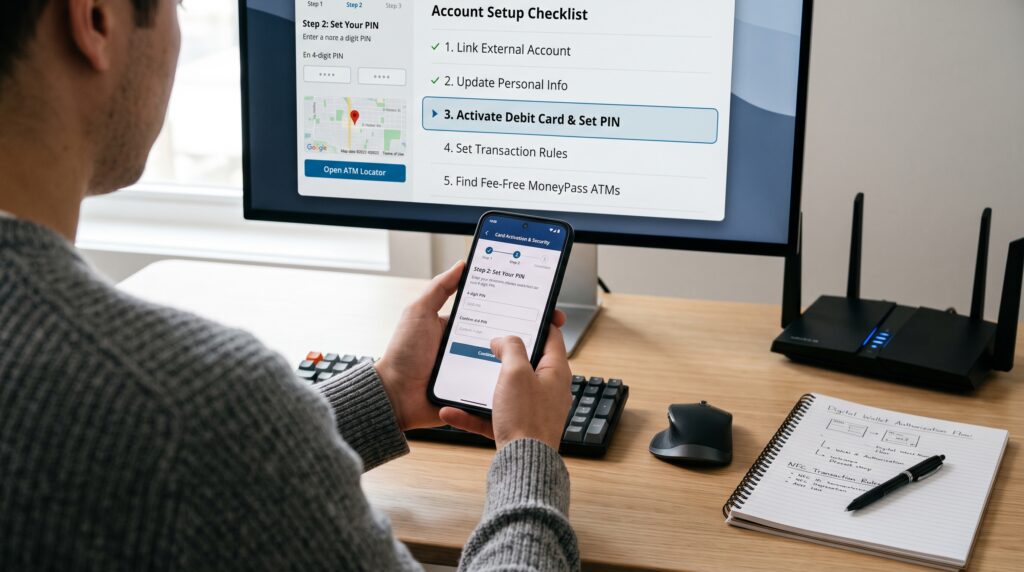
Short Answer: When you use Venmo at an ATM, you may encounter two types of costs: ATM operator fees and, depending on the situation, fees associated with using an out-of-network machine. The exact amount depends on the ATM you choose.
Before confirming a withdrawal, review the fee notice displayed on the ATM screen. If the cost seems higher than expected, you can usually cancel the transaction and locate another ATM with lower or no operator fees.
Planning your withdrawals ahead of time can also help reduce the number of ATM transactions you make, minimizing the total amount spent on fees.
Withdrawal Limits
Your available balance isn’t the only factor that determines how much cash you can withdraw.
Venmo applies withdrawal limits to help protect accounts from fraud and unauthorized activity. In addition, individual ATM operators may enforce their own maximum withdrawal amounts, which can sometimes be lower than Venmo’s limits.
If you need more cash than one ATM allows, you may need to return later or use another approved withdrawal method, provided it complies with your account limits.
Common Problems When Using Venmo at an ATM
Most ATM issues have simple explanations.
A withdrawal may fail because your Venmo Debit Card hasn’t been activated, your PIN was entered incorrectly, your available balance is too low, you’ve reached your withdrawal limit, or the ATM is temporarily unavailable. Occasionally, network or maintenance issues can also interrupt transactions.
If your withdrawal is declined, avoid repeatedly attempting the same transaction. Instead, review your account in the Venmo app, confirm your balance, and try another compatible ATM if necessary.
Comparison Table
| Situation | Recommended Solution |
|---|---|
| Card not activated | Activate your Venmo Debit Card in the app |
| Incorrect PIN | Verify or reset your PIN |
| Insufficient available balance | Check your Venmo balance before withdrawing |
| Daily withdrawal limit reached | Wait until your limit resets |
| ATM declines the transaction | Try another compatible ATM |
Understanding how to use Venmo at an ATM is about more than inserting your card. Knowing the fees, withdrawal limits, and common reasons transactions fail can help you avoid unnecessary delays and make withdrawing cash much easier whenever you need it.
Safety Tips for Using Venmo at an ATM
Whenever you use Venmo at an ATM, taking a few basic security precautions can help protect both your money and your account. Try to use ATMs located at banks, grocery stores, or other well-lit public locations instead of isolated machines. Before inserting your Venmo Debit Card, inspect the ATM for anything unusual, such as loose card readers or devices that appear to have been attached to the machine.
While entering your PIN, cover the keypad with your hand to reduce the risk of someone observing your information. After completing your transaction, put your cash away before leaving the ATM and review your Venmo account afterward to confirm the withdrawal amount is accurate. Developing these simple habits can help you use Venmo at an ATM more safely and reduce the risk of fraud or unauthorized access to your account.

Frequently Asked Questions
If you’re planning to use Venmo at an ATM, these are some of the most common questions users ask about Venmo cash withdrawals, fees, debit cards, and withdrawal limits.
Can you use Venmo at an ATM without a Venmo Debit Card?
No. To use Venmo at an ATM, you must have an activated Venmo Debit Card. The Venmo app alone doesn’t allow you to withdraw cash from ATMs, even if you have money in your Venmo balance.
Which ATMs accept the Venmo Debit Card?
Most ATMs that accept Mastercard can be used with the Venmo Debit Card. However, ATM availability, withdrawal limits, and operator fees vary by location. If one ATM doesn’t work, you can usually try another compatible machine.
How much cash can I withdraw?
The amount you can use Venmo at an ATM for depends on your available Venmo balance, Venmo’s withdrawal limits, and the ATM operator’s own restrictions. If your requested amount exceeds either limit, the transaction may be declined.
Why was my ATM withdrawal declined?
A withdrawal may fail for several reasons, including an inactive Venmo Debit Card, an incorrect PIN, insufficient available funds, reaching your withdrawal limit, or a temporary issue with the ATM. Checking your balance and account status in the Venmo app is usually the quickest way to identify the problem.
Can I check my Venmo balance before visiting an ATM?
Yes. Before you use Venmo at an ATM, open the Venmo app to review your available balance. This helps ensure you have enough funds to cover both your withdrawal and any ATM operator fees that may apply.
Are there fee-free ATMs for Venmo?
Some Venmo Debit Card users may have access to ATMs that participate in fee-free networks, while other ATMs charge an operator fee. Before completing a withdrawal, review the fee displayed on the ATM screen so you can decide whether to continue or find another ATM.
Final Thoughts
Learning how to use Venmo at an ATM is straightforward once you understand the basic requirements. As long as you have an activated Venmo Debit Card, know your PIN, and have enough available funds, withdrawing cash is similar to using a traditional bank debit card.
Before visiting an ATM, it’s always worth checking your available balance, confirming you haven’t reached your withdrawal limit, and reviewing any fees the ATM operator may charge. Taking these simple steps can help you avoid declined transactions and unnecessary costs.
If you experience problems while trying to use Venmo at an ATM, don’t assume your account is the issue. In many cases, switching to another compatible ATM, verifying your card information, or checking your withdrawal limits is enough to resolve the problem. By understanding how Venmo ATM withdrawals work, you’ll be better prepared whenever you need quick access to cash.
Key Takeaways
- You can use Venmo at an ATM with an activated Venmo Debit Card.
- The Venmo app alone can’t be used to withdraw cash from an ATM.
- Check your available balance before starting a withdrawal.
- ATM operator fees and Venmo withdrawal limits may apply.
- Keep your PIN secure and use trusted ATMs whenever possible.
- Most declined withdrawals are caused by simple issues such as insufficient funds, withdrawal limits, or ATM-related problems.
- Reviewing your account in the Venmo app before visiting an ATM can help ensure a smooth withdrawal experience.
Leave a Reply