
If you’re seeing the Cash App Identity Verification Failed Error, you’re probably wondering why Cash App won’t verify your account even after you’ve entered your personal information. Cash App requires identity verification for certain features, including sending or receiving larger amounts of money, using Bitcoin services, and accessing additional account benefits. When the verification process fails, it can prevent you from using these features until the issue is resolved.
The good news is that the Cash App Identity Verification Failed Error is usually caused by information mismatches, poor photo quality, outdated identification documents, or temporary technical issues rather than a permanent problem with your account. In many cases, correcting the information you submitted and following Cash App’s verification requirements allows you to complete the process successfully.
Understanding why the Cash App Identity Verification Failed Error appears is the first step toward fixing it. Once you identify the cause, you can take the appropriate steps to complete verification and regain full access to your Cash App account.
In this guide, you’ll learn what the Cash App Identity Verification Failed Error means, why it happens, and the most effective solutions for verifying your identity successfully.
Quick Answer
If you’re experiencing the Cash App Identity Verification Failed Error, Cash App couldn’t verify your identity because of incorrect personal information, unreadable ID photos, expired identification documents, mismatched account details, or temporary verification issues. Updating your information and submitting clear identification documents usually resolves the problem.
Table of Contents
What Is the Cash App Identity Verification Failed Error?
Short Answer: The Cash App Identity Verification Failed Error means Cash App couldn’t confirm your identity using the information or documents you submitted.
Cash App verifies users to comply with financial regulations and protect accounts against fraud. During the verification process, the information you provide is compared with official records and the identification documents you upload.
If something doesn’t match or your documents can’t be verified, Cash App may reject the request and display the verification failed message.
Why Does Identity Verification Fail on Cash App?
Short Answer: The Cash App Identity Verification Failed Error commonly occurs because of incorrect personal information, blurry ID photos, expired documents, unsupported identification, or temporary verification system issues.
Even small mistakes—such as entering the wrong date of birth, misspelling your legal name, or uploading an unreadable photo—can prevent Cash App from completing the verification process.
Occasionally, the verification system may also experience temporary delays or require additional information before approving your account.
Before You Start Troubleshooting
Before trying to fix the Cash App Identity Verification Failed Error, review everything you’ve submitted.
Confirm that your full legal name, date of birth, address, and Social Security Number (when requested) exactly match your official records. Check that your identification document is valid, unexpired, and clearly visible in the uploaded images.
Taking a few minutes to verify your information can save time and significantly improve your chances of successful verification.

Fix 1: Double-Check Your Personal Information
One of the most common causes of the Cash App Identity Verification Failed Error is incorrect personal information.
Carefully review your name, address, date of birth, and any other details you entered during verification. Make sure they exactly match the information shown on your government-issued identification.
Even a small spelling mistake or incorrect number may cause Cash App to reject your verification request.
Fix 2: Upload Clear Photos of Your ID
Blurry or poorly lit identification photos frequently trigger the Cash App Identity Verification Failed Error.
Place your ID on a flat surface with good lighting and ensure every corner of the document is visible. Avoid glare, shadows, cropped images, or low-resolution photos that make the information difficult to read.
Using your phone’s rear camera instead of the front camera often produces better image quality.
Fix 3: Check That Your ID Hasn’t Expired
Cash App generally requires a valid government-issued identification document.
If the ID you’ve submitted has expired, damaged edges, or unreadable information, the verification request may fail automatically.
Using a current and clearly readable identification document greatly improves your chances of completing verification successfully.
Comparison Table
| Fix | Purpose |
|---|---|
| Review personal information | Ensure all details match official records |
| Upload clear ID photos | Improve document readability |
| Use a valid identification document | Meet Cash App verification requirements |
These first three fixes resolve many Cash App Identity Verification Failed Error cases. In the next section, we’ll cover six additional solutions, explain why verification may continue to fail, and show you how to successfully complete the Cash App verification process.
Fix 4: Verify Your Legal Name Matches Your ID
Cash App verifies your identity using the exact legal information shown on your government-issued identification.
If you’ve entered a nickname, abbreviated your name, or made even a small spelling mistake, the Cash App Identity Verification Failed Error may appear. Make sure your first name, middle name (if applicable), and last name match your ID exactly.
Correcting these mismatches often resolves verification problems quickly.
Fix 5: Check Your Date of Birth and Address
Incorrect personal details are another common cause of the Cash App Identity Verification Failed Error.
Review your date of birth, residential address, and ZIP code carefully. These details should match your official records whenever possible.
Even minor typing errors can prevent Cash App from successfully verifying your identity.
Fix 6: Make Sure Your Internet Connection Is Stable
Identity verification requires your documents and information to upload successfully.
If your internet connection becomes unstable during the process, Cash App may receive incomplete images or verification data, causing the Cash App Identity Verification Failed Error.
Switch to a reliable Wi-Fi network or a stronger mobile data connection before trying again.
Fix 7: Update the Cash App
Using an outdated version of Cash App may interfere with the verification process.
Visit the App Store or Google Play Store to install the latest version. App updates frequently include security improvements, bug fixes, and verification enhancements that may resolve the Cash App Identity Verification Failed Error.
After updating the app, restart your device before submitting another verification request.
Fix 8: Wait Before Trying Again
Repeatedly submitting the same verification request isn’t always helpful.
Multiple failed attempts within a short period may trigger additional security reviews. If you’ve already submitted your information several times, wait a while before trying again.
Giving Cash App’s verification system time to process previous submissions may improve your chances of approval.
Fix 9: Contact Cash App Support
If you’ve followed every troubleshooting step and still receive the Cash App Identity Verification Failed Error, contact Cash App Support.
Support representatives can review your account, explain whether additional documents are required, and identify any account-specific issues preventing successful verification.
Always use Cash App’s official support channels when requesting assistance.
Why Your Identity Verification Still Fails
Short Answer: If the Cash App Identity Verification Failed Error continues after multiple attempts, your identification documents may not meet Cash App’s requirements, your information may still not match official records, or your account may require additional review.
Some verification requests take longer because Cash App performs additional security checks to protect users and comply with financial regulations. In other situations, the verification system may request new document uploads or updated personal information.
Reviewing every detail before submitting another request greatly improves the likelihood of successful verification.
Common Problems
Users experiencing the Cash App Identity Verification Failed Error often encounter one or more of these issues:
- Incorrect legal name.
- Wrong date of birth.
- Address doesn’t match official records.
- Blurry or cropped ID photos.
- Expired identification document.
- Unsupported identification type.
- Poor internet connection.
- Outdated Cash App version.
- Temporary verification system issues.
Checking each possibility carefully usually helps identify the cause of the failed verification.
The Hidden Reasons Cash App Keeps Rejecting Your Verification
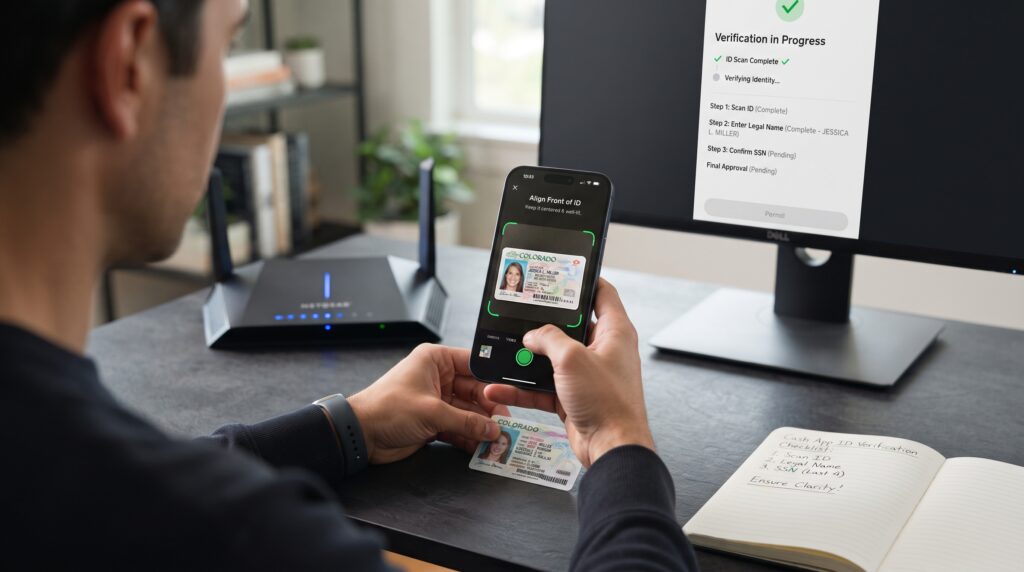
Many users assume the Cash App Identity Verification Failed Error means their account has been permanently blocked, but that’s rarely the case. Most failed verification attempts happen because the uploaded information doesn’t exactly match official records or because the identification photos aren’t clear enough for automated verification. Another common misconception is that submitting the same documents repeatedly will speed up approval. In reality, taking time to review your information, improving photo quality, and correcting any mistakes is far more effective than making multiple unsuccessful submissions.
Comparison Table
| Problem | Recommended Solution |
|---|---|
| Incorrect personal information | Update your legal details |
| Blurry ID photos | Upload new high-quality images |
| Expired identification | Use a valid government-issued ID |
| Internet connection issue | Retry using a stable connection |
| Outdated Cash App | Update the application |
| Verification review | Wait or contact Cash App Support |
These nine proven fixes resolve most Cash App Identity Verification Failed Error cases. In the final section, we’ll answer frequently asked questions, explain how long Cash App verification usually takes, share best practices for successful verification, and summarize the most important takeaways.
Frequently Asked Questions
How long does Cash App identity verification take?
In many cases, Cash App verifies accounts within a few minutes, but some requests may take longer if additional review is required. If you’re experiencing the Cash App Identity Verification Failed Error, the verification process may be delayed until Cash App receives the required information or documents.
Why does Cash App keep rejecting my identity verification?
The Cash App Identity Verification Failed Error usually happens because your personal information doesn’t exactly match your government-issued ID, your identification photos are unclear, your documents have expired, or Cash App requires additional verification.
Can I use Cash App without verifying my identity?
Yes, but only with limited functionality. Without completing identity verification, you may face restrictions on sending, receiving, or withdrawing larger amounts of money, and you may not be able to access certain features such as Bitcoin transactions.
What type of ID does Cash App accept?
Cash App generally accepts valid government-issued identification, such as a driver’s license, state-issued identification card, or passport. Your identification should be current, clearly readable, and free of damage.
Should I submit my documents multiple times?
No. If you’ve already submitted your documents and received the Cash App Identity Verification Failed Error, avoid repeatedly uploading the same information. Instead, review your documents carefully, correct any mistakes, and wait before trying again if necessary.
What should I do if verification still doesn’t work?
If the Cash App Identity Verification Failed Error continues after you’ve completed every troubleshooting step, contact Cash App Support. They can review your account and explain whether additional documentation or verification is required.
How Long Does Cash App Identity Verification Take?
The time needed to resolve the Cash App Identity Verification Failed Error depends on the reason your verification was rejected. Straightforward verification requests are often approved within minutes after accurate information and clear identification documents are submitted. However, if Cash App needs additional documents or performs a manual review, the process may take longer. Responding quickly to any requests for more information and ensuring your documents are clear, valid, and up to date can help reduce unnecessary delays and improve your chances of receiving approval sooner.
Best Practices for Successful Cash App Verification
Following a few simple practices can significantly reduce the likelihood of seeing the Cash App Identity Verification Failed Error again. Always enter your legal name exactly as it appears on your government-issued ID, verify your date of birth and address before submitting the form, and upload high-quality photos taken in good lighting. Keep your Cash App updated to the latest version and avoid making repeated verification attempts without correcting any errors. Taking a careful approach helps Cash App verify your identity faster and minimizes unnecessary verification failures.

Common Verification Mistakes That Most Cash App Users Overlook
Many users experiencing the Cash App Identity Verification Failed Error focus only on their identification document, but several smaller details can also cause the verification process to fail. One of the most common mistakes is entering personal information that doesn’t exactly match official records. For example, using a shortened version of your first name, leaving out a middle name that’s shown on your ID, or entering an old residential address can all prevent Cash App from confirming your identity successfully.
Another overlooked issue is the quality of the uploaded photos. Even if your ID is valid, pictures taken in poor lighting, with glare, blurry text, or cropped edges may be rejected by Cash App’s automated verification system. Before uploading your documents, place your ID on a flat surface with bright lighting and make sure every corner is visible. Avoid using filters, editing the images, or covering any part of the document with your fingers.
Device-related problems can also contribute to the Cash App Identity Verification Failed Error. An outdated version of the Cash App, limited device storage, or an unstable internet connection may interrupt the upload process without making it obvious to the user. Installing the latest app updates, restarting your device, and switching to a reliable Wi-Fi connection before trying again can help eliminate these issues.
Finally, patience is important during the verification process. Repeatedly submitting the same information after receiving the Cash App Identity Verification Failed Error may trigger additional security reviews instead of speeding up approval. Instead, carefully review every detail, correct any mistakes you find, and wait for Cash App to finish processing previous submissions before attempting another verification. Taking a few extra minutes to prepare accurate information often results in a much smoother verification experience and significantly increases the chances of your account being approved successfully.
Final Thoughts
The Cash App Identity Verification Failed Error can be frustrating, but it’s usually caused by information mismatches, unreadable identification documents, or temporary verification issues rather than a permanent account problem. Most users successfully complete the verification process after correcting their personal information and submitting clear, valid identification.
By following the troubleshooting steps in this guide, reviewing every detail carefully, and responding promptly to any additional verification requests, you can greatly improve your chances of successfully verifying your Cash App account. If the issue persists, Cash App Support can review your account and provide further guidance based on your specific situation.
Understanding the causes of the Cash App Identity Verification Failed Error will help you avoid similar issues in the future and ensure uninterrupted access to Cash App’s full range of financial features.
Key Takeaways
- The Cash App Identity Verification Failed Error is usually temporary.
- Ensure your legal information matches your ID exactly.
- Upload clear, high-quality images of valid identification.
- Verify your internet connection before submitting documents.
- Keep the Cash App updated to the latest version.
- Avoid repeated verification attempts without correcting errors.
- Contact Cash App Support if verification continues to fail.
Leave a Reply