How to Cancel a Pending Transaction on PayPal
If you’re trying to Cancel Pending Transaction on PayPal, you’re probably wondering whether you can stop the payment before it’s completed. PayPal is one of the most widely used online payment platforms, allowing millions of people to send money, shop online, and receive payments securely. While most transactions are processed almost instantly, some remain in a pending status, leaving users unsure about what happens next.
The good news is that in certain situations, you can Cancel Pending Transaction on PayPal before the money is claimed or fully processed. Whether cancellation is possible depends on the type of transaction, the recipient’s account status, and whether the payment has already been completed. Understanding these conditions can save you time and help prevent unnecessary frustration.
Before attempting to Cancel Pending Transaction on PayPal, it’s important to understand why the payment is still pending. Delays can occur because the recipient hasn’t accepted the payment, the transaction is under review, the seller hasn’t captured the payment yet, or the payment is waiting for bank processing. Identifying the reason behind the pending status helps determine the correct solution.
In this guide, you’ll learn how to Cancel Pending Transaction on PayPal, when cancellation is possible, and the exact steps to resolve pending payments safely and efficiently.
Quick Answer
Yes, you may be able to Cancel Pending Transaction on PayPal if the payment hasn’t been completed or claimed by the recipient. If the transaction is eligible, PayPal usually displays a Cancel option in your Activity page. If the payment has already been completed, you’ll generally need to request a refund instead.
Table of Contents
Can You Cancel a Pending Transaction on PayPal?
Short Answer: Yes, but only if the payment is still eligible for cancellation.
Not every pending payment can be canceled. If you’re trying to Cancel Pending Transaction on PayPal, the payment must usually remain unclaimed or still be awaiting processing. Once the recipient accepts the payment or PayPal completes the transaction, the cancellation option normally disappears.
For example, payments sent to an email address that hasn’t been registered with PayPal are often easier to cancel because the recipient hasn’t claimed the funds yet.
Why Is Your PayPal Transaction Pending?
Short Answer: A pending payment usually means PayPal is still processing the transaction or waiting for additional action before releasing the funds.
Several situations can cause a payment to remain pending. The recipient may need to accept the payment, a seller may need to capture an authorized payment, your linked bank account may still be processing the transfer, or PayPal may be performing a temporary security review.
Understanding why your payment is pending makes it much easier to Cancel Pending Transaction on PayPal if cancellation is still available.
Before You Try to Cancel
Before attempting to Cancel Pending Transaction on PayPal, review the payment details carefully.
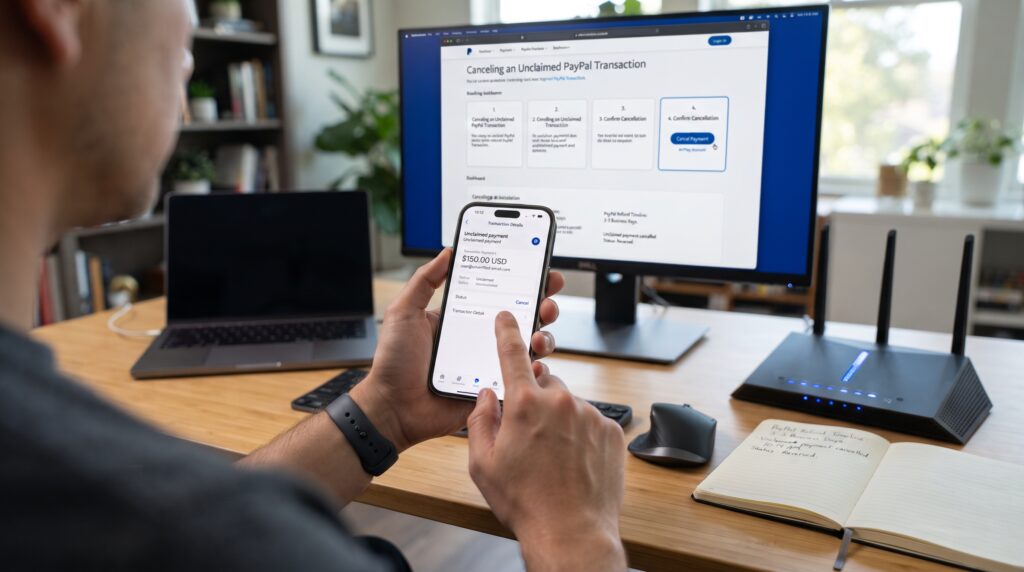
Open your PayPal Activity page and select the pending transaction. Look for the payment status and determine whether a Cancel button is available. If the button isn’t visible, the payment may no longer qualify for cancellation.
It’s also a good idea to confirm whether the recipient has already accepted the payment before trying additional troubleshooting steps.
Step 1: Sign In to Your PayPal Account
Open the PayPal website or mobile app and sign in using your account credentials.
Make sure you’re accessing the correct PayPal account where the pending payment was sent. If you have multiple PayPal accounts, verify that you’re viewing the right transaction history before proceeding.
This is the first step to Cancel Pending Transaction on PayPal successfully.
Step 2: Open Your Activity Page
After signing in, navigate to your Activity section.
This page displays your recent transactions, including completed, pending, refunded, and canceled payments. Locate the pending payment you want to review.
Selecting the correct transaction ensures you’re working with the payment you intend to cancel.
Step 3: Review the Transaction Status
Click or tap the pending payment to view its complete details.
Carefully read the transaction status and look for any messages explaining why the payment is pending. If the payment is eligible, PayPal will usually display a Cancel option within the transaction details.
If no cancellation option appears, the payment may already be processing beyond the point where you can Cancel Pending Transaction on PayPal.

Comparison Table
| Step | Purpose |
|---|---|
| Sign in to PayPal | Access your account |
| Open Activity | Locate the pending payment |
| Review transaction | Check whether cancellation is available |
These first three steps explain how to Cancel Pending Transaction on PayPal and determine whether your payment qualifies for cancellation. In the next section, we’ll complete the remaining steps, explain when cancellation isn’t possible, cover common problems, and show you the best alternatives if the payment can’t be canceled.
Step 4: Click the Cancel Button
If the transaction is eligible, you’ll see a Cancel button on the payment details page.
To Cancel Pending Transaction on PayPal, simply click or tap Cancel, then confirm your choice when prompted. PayPal will immediately begin canceling the payment if the recipient hasn’t accepted it and the transaction still qualifies for cancellation.
If the button isn’t available, the payment has likely moved beyond the cancellation stage.
Step 5: Confirm the Cancellation
After selecting Cancel, PayPal may ask you to confirm your decision.
Review the payment details one last time to make sure you’re canceling the correct transaction. Once confirmed, PayPal will update the payment status if the cancellation is successful.
You’ll usually receive an email or in-app notification confirming that you’ve successfully Cancel Pending Transaction on PayPal.
Step 6: Check Your Balance or Funding Source
After the cancellation is complete, verify that your money has been returned.
Depending on how the payment was funded, the money may immediately return to your PayPal balance or take additional time to appear on your debit card, credit card, or linked bank account.
Checking your balance helps confirm the cancellation was processed successfully.
Step 7: Contact the Recipient if Necessary
If the payment can no longer be canceled, contacting the recipient may be your quickest solution.
Ask whether they’ve already accepted the payment. If the payment has been completed, request that they issue a refund through PayPal instead.
Clear communication often resolves situations where you can no longer Cancel Pending Transaction on PayPal directly.
When You Can’t Cancel a Pending Transaction
Short Answer: You usually can’t Cancel Pending Transaction on PayPal if the recipient has already accepted the payment or PayPal has completed the transaction.
Some pending payments are waiting for seller processing, bank authorization, or PayPal review rather than recipient acceptance. In these situations, PayPal may not allow cancellation because the payment is already moving through the processing system.
If cancellation isn’t available, waiting for the payment to complete or requesting a refund may be the only option.
Common Problems
Users attempting to Cancel Pending Transaction on PayPal often encounter these issues:
- No Cancel button appears.
- The recipient has already accepted the payment.
- Payment is under PayPal review.
- Bank transfer is still processing.
- Seller authorization is still active.
- Payment has already been completed.
- Incorrect PayPal account selected.
- Temporary PayPal system delays.
- Funding source still pending.
Reviewing these possibilities helps explain why a pending transaction can’t always be canceled immediately.
The Hidden Reasons PayPal Won’t Let You Cancel
Many people assume every pending payment can be canceled, but that’s not always true. The ability to Cancel Pending Transaction on PayPal depends entirely on the payment’s current status. If the recipient has already claimed the money or the seller has captured the authorized payment, PayPal usually removes the cancellation option automatically. Another common misconception is that a “Pending” label always means the payment hasn’t been processed. In reality, some pending transactions are already moving through banking systems or PayPal’s internal review process, making cancellation impossible even though the status still shows as pending.
Comparison Table
| Problem | Recommended Solution |
|---|---|
| No Cancel button | Check if payment is still eligible |
| Recipient accepted payment | Request a refund |
| Bank transfer pending | Wait for processing |
| Seller authorization | Contact the seller |
| PayPal review | Wait for review completion |
| Wrong account | Sign in to the correct PayPal account |
These seven steps resolve most situations where users want to Cancel Pending Transaction on PayPal. In the final section, we’ll answer frequently asked questions, explain how long pending transactions usually last, share best practices for avoiding future pending payments, and summarize the most important takeaways.
Frequently Asked Questions
Can I cancel a pending PayPal transaction?
Yes, if the payment is still eligible. You can usually Cancel Pending Transaction on PayPal when the recipient hasn’t accepted or claimed the payment. If the payment has already been completed, you’ll generally need to request a refund instead.
Why can’t I cancel my pending PayPal payment?
If you’re unable to Cancel Pending Transaction on PayPal, the payment may already have been accepted by the recipient, processed by PayPal, or be moving through your bank’s payment system. In these cases, PayPal removes the cancellation option.
How long does a PayPal transaction stay pending?
The time varies depending on the payment type. Some pending payments are completed within a few minutes, while others may take several business days if bank processing, seller authorization, or security reviews are involved.
Will I automatically get my money back if I cancel?
Yes. If you successfully Cancel Pending Transaction on PayPal, the funds are usually returned to your PayPal balance or original payment method. The exact timing depends on how the payment was funded.
Can I cancel a pending payment sent to the wrong person?
If the payment is still pending and eligible for cancellation, yes. Otherwise, you’ll need to contact the recipient directly and request a refund through PayPal.
What should I do if the payment is completed?
Once a payment is completed, you can no longer Cancel Pending Transaction on PayPal. Your best option is to contact the recipient and request a refund or use PayPal’s Resolution Center if the transaction qualifies for buyer protection.
How Long Do PayPal Pending Transactions Last?
The amount of time required to Cancel Pending Transaction on PayPal or wait for the payment to finish processing depends on why the transaction is pending. Payments awaiting recipient acceptance can remain pending until they’re claimed or expire automatically. Transactions involving bank transfers, seller authorization, or security reviews may take several business days before reaching a final status. Monitoring your Activity page regularly allows you to track changes and determine whether cancellation is still possible. If the pending status lasts longer than expected, reviewing the payment details or contacting PayPal Support can help clarify the reason for the delay.
Best Practices to Avoid Pending PayPal Transactions
Although some pending payments are unavoidable, you can reduce the likelihood of needing to Cancel Pending Transaction on PayPal by following a few simple practices. Always verify the recipient’s email address before sending money, make sure you have enough available funds, and keep your PayPal account fully verified. If you’re purchasing from a seller, review their payment and shipping policies before completing your order. Regularly updating your payment methods and monitoring your account for notifications also helps prevent unnecessary delays and keeps your future PayPal transactions running smoothly.
Common Mistakes That Prevent You from Canceling a Pending PayPal Transaction
Many users try to Cancel Pending Transaction on PayPal without realizing that small mistakes can prevent the cancellation from working. One of the most common errors is waiting too long before checking the payment status. If the recipient accepts the payment or PayPal finishes processing the transaction, the Cancel button usually disappears, leaving a refund as the only available option. Acting quickly gives you the best chance of stopping the payment before it’s completed.
Another frequent mistake is assuming every pending payment can be canceled. Some pending transactions are waiting for bank authorization, seller approval, or PayPal’s internal security review. In these situations, the payment may still display a pending status even though it has already moved beyond the point where cancellation is possible. Understanding the reason behind the pending status can help you choose the correct solution instead of repeatedly searching for a cancellation option that no longer exists.
Users also sometimes overlook important transaction details. Before attempting to Cancel Pending Transaction on PayPal, review the payment carefully to confirm the recipient’s email address, payment amount, funding source, and transaction status. These details can explain whether the payment is still eligible for cancellation or if you’ll need to contact the recipient directly.
Finally, avoid sending duplicate payments while waiting for a pending transaction to update. Some people assume the first payment failed because it remains pending and immediately send another payment, only to discover that both transactions are eventually completed. This can result in accidental double payments that require additional refund requests. Monitoring your PayPal Activity page, waiting for status updates, and contacting PayPal Support when necessary are much safer approaches. By understanding these common mistakes, you’ll improve your chances of successfully Cancel Pending Transaction on PayPal whenever cancellation is still available and reduce the likelihood of payment-related issues in the future.

Final Thoughts
Trying to Cancel Pending Transaction on PayPal can be frustrating, especially if you’re unsure why the payment hasn’t been completed. Fortunately, many pending payments can still be canceled if the recipient hasn’t accepted them or if PayPal still provides the cancellation option. Acting quickly and reviewing the transaction details gives you the best chance of stopping the payment successfully.
If cancellation isn’t available, don’t panic. In many situations, the payment simply needs additional processing time or requires you to contact the recipient for a refund after completion. Understanding how PayPal handles pending payments helps you make the right decision and avoid unnecessary delays.
By following the steps and recommendations in this guide, you’ll know exactly when you can Cancel Pending Transaction on PayPal, when you’ll need to wait, and what to do if the cancellation option is no longer available.
Key Takeaways
- You can Cancel Pending Transaction on PayPal only if the payment is still eligible.
- Pending payments that have been accepted usually can’t be canceled.
- Always check the Activity page for a Cancel option.
- Bank processing and seller authorization may delay transactions.
- Request a refund if the payment has already been completed.
- Verify recipient information before sending money.
- Contact PayPal Support if the transaction remains pending for an unusually long time.
Leave a Reply