
If you’ve encountered the PayPal Sorry Your Payment Was Declined Error, you’re probably wondering why your payment failed even though your PayPal account appears to be working normally. This error can occur when you’re trying to shop online, send money to another person, pay a subscription, or complete a business transaction. Since PayPal is one of the world’s most trusted payment platforms, seeing this message can be both confusing and frustrating.
The good news is that the PayPal Sorry Your Payment Was Declined Error is usually caused by a temporary issue rather than a permanent problem with your account. It may result from security checks, an issue with your linked payment method, insufficient funds, account verification requirements, or a merchant-specific restriction. In many situations, the payment can be completed after reviewing your account settings and resolving the underlying issue.
Understanding why the PayPal Sorry Your Payment Was Declined Error appears is the first step toward fixing it. Once you identify the reason behind the decline, you can usually restore normal payment functionality without creating a new PayPal account.
In this guide, you’ll learn what the PayPal Sorry Your Payment Was Declined Error means, why it happens, and the most effective solutions to complete your payment successfully.
Quick Answer
If you’re seeing the PayPal Sorry Your Payment Was Declined Error, PayPal has temporarily rejected your payment because of a security review, an issue with your payment method, insufficient funds, account verification requirements, or another transaction-related problem. In most cases, reviewing your account, verifying your payment method, and trying again after resolving the issue will successfully complete the payment.
Table of Contents
What Does the PayPal “Sorry, Your Payment Was Declined” Error Mean?
Short Answer: The PayPal Sorry Your Payment Was Declined Error means PayPal couldn’t approve your payment because one or more security, funding, or account requirements weren’t met.
This doesn’t necessarily mean your PayPal account has been permanently restricted. In many cases, PayPal temporarily declines a payment while it performs automated security checks or detects information that requires verification.
Depending on the situation, you may still be able to use other PayPal features while only the affected transaction is declined.
Why Does the PayPal Payment Was Declined Error Happen?
Short Answer: The PayPal Sorry Your Payment Was Declined Error can occur because of insufficient funds, an expired or declined payment method, account verification issues, unusual transaction activity, merchant restrictions, or PayPal’s fraud prevention systems.
PayPal reviews every transaction using automated security systems. If a payment appears unusual compared to your normal activity or doesn’t meet certain risk requirements, it may be declined automatically.
Other common reasons include outdated card information, bank authorization failures, temporary account limitations, or technical problems affecting payment processing.
Fortunately, most declined payments can be resolved without permanently affecting your PayPal account.
Before You Start Troubleshooting
Before attempting to fix the PayPal Sorry Your Payment Was Declined Error, take a few minutes to review your account.
Confirm that your PayPal account is in good standing, your payment methods are active, and your linked bank account or debit card has sufficient funds. It’s also helpful to verify your email address and ensure there aren’t any notifications requesting additional information.
Completing these basic checks can save time and resolve many declined payment issues immediately.
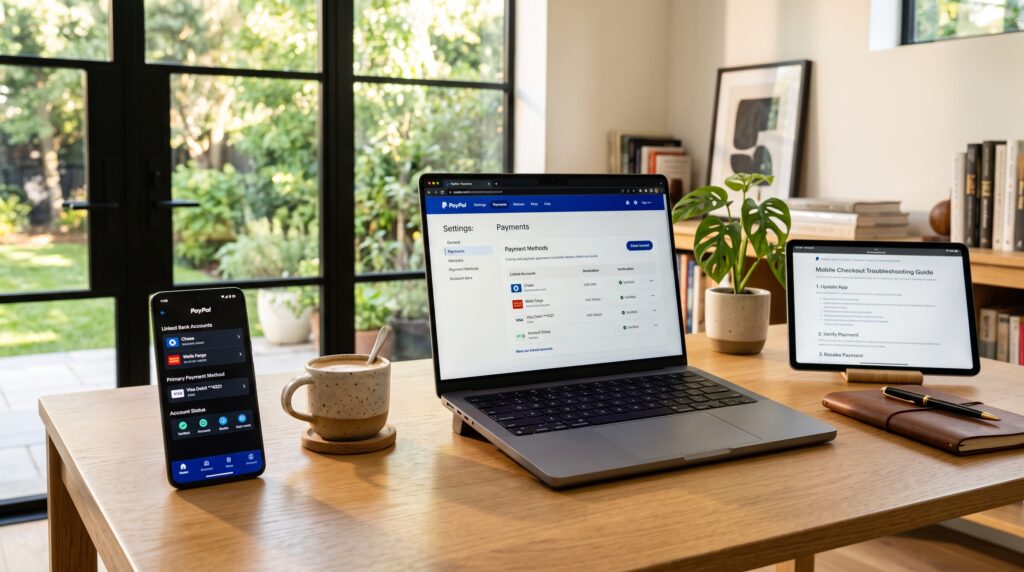
Fix 1: Check Your Available Balance
One of the most common causes of the PayPal Sorry Your Payment Was Declined Error is insufficient available funds.
If you’re paying with your PayPal balance, verify that enough money is available to complete the purchase. If you’re using a linked bank account or debit card, confirm that the account has sufficient funds and isn’t subject to spending restrictions.
Even small shortages may cause PayPal to reject the transaction.
Fix 2: Review Your Linked Payment Method
Open your PayPal Wallet and carefully review your linked payment methods.
Check whether your debit card, credit card, or bank account has expired, been replaced, or requires updated billing information. Incorrect card details frequently trigger the PayPal Sorry Your Payment Was Declined Error during payment authorization.
Updating your payment method often resolves the problem immediately.
Fix 3: Verify Your PayPal Account
If your PayPal account hasn’t been fully verified, certain payments may be declined.
Review your account notifications to see whether PayPal has requested identity verification, address confirmation, or additional documentation. Completing these requests helps reduce security restrictions and improves the likelihood of successful future transactions.
Many users resolve the PayPal Sorry Your Payment Was Declined Error simply by completing their account verification.
Comparison Table
| Fix | Purpose |
|---|---|
| Check available balance | Confirm sufficient funds |
| Review payment method | Verify linked card or bank details |
| Verify PayPal account | Complete security requirements |
These first three fixes resolve many cases of the PayPal Sorry Your Payment Was Declined Error. In the next section, we’ll cover six additional troubleshooting steps, explain why payments may continue to be declined, and show you how to successfully complete your transaction.
Fix 4: Confirm the Merchant Accepts Your Payment
Sometimes the PayPal Sorry Your Payment Was Declined Error isn’t caused by your account at all.
Some merchants limit certain payment methods, countries, currencies, or transaction types. If the seller has specific payment restrictions, PayPal may decline the transaction even if your account is in good standing.
If possible, contact the merchant or try another supported payment method before attempting the purchase again.
Fix 5: Check for Account Limitations
A temporary account limitation can prevent PayPal from approving payments.
Visit your PayPal account and review the Resolution Center for any alerts or requests. If PayPal requires additional identity verification, proof of address, or other documentation, complete those requests as soon as possible.
Many users eliminate the PayPal Sorry Your Payment Was Declined Error after resolving an account limitation.
Fix 6: Update Your Billing Information
Outdated billing information is another common reason payments fail.
Review the billing address, ZIP code, expiration date, and security code associated with your linked debit or credit card. Even a small mismatch between your PayPal account and your card issuer’s records may trigger the PayPal Sorry Your Payment Was Declined Error during authorization.
Saving accurate billing information helps improve payment approval rates.
Fix 7: Try a Different Payment Method
If one funding source continues to fail, consider using another linked payment method.
For example, if your debit card is being declined, try your PayPal balance, another verified card, or a linked bank account instead. Some payment methods may be temporarily unavailable because of bank restrictions or security reviews.
Changing your funding source often resolves the issue without requiring additional troubleshooting.
Fix 8: Wait Before Trying Again
Repeatedly submitting the same payment isn’t always the best solution.
Multiple failed payment attempts within a short period may trigger additional fraud prevention checks. If you continue seeing the PayPal Sorry Your Payment Was Declined Error, wait for a while before retrying the transaction.
Giving PayPal’s security systems time to reset can improve the chances of a successful payment.
Fix 9: Contact PayPal Support
If none of the previous solutions work, contact PayPal Support directly.
Support representatives can review your account, identify hidden payment restrictions, explain why the transaction was declined, and recommend the appropriate next steps.
Using PayPal’s official support channels is always safer than relying on unofficial forums or third-party websites for account-specific advice.
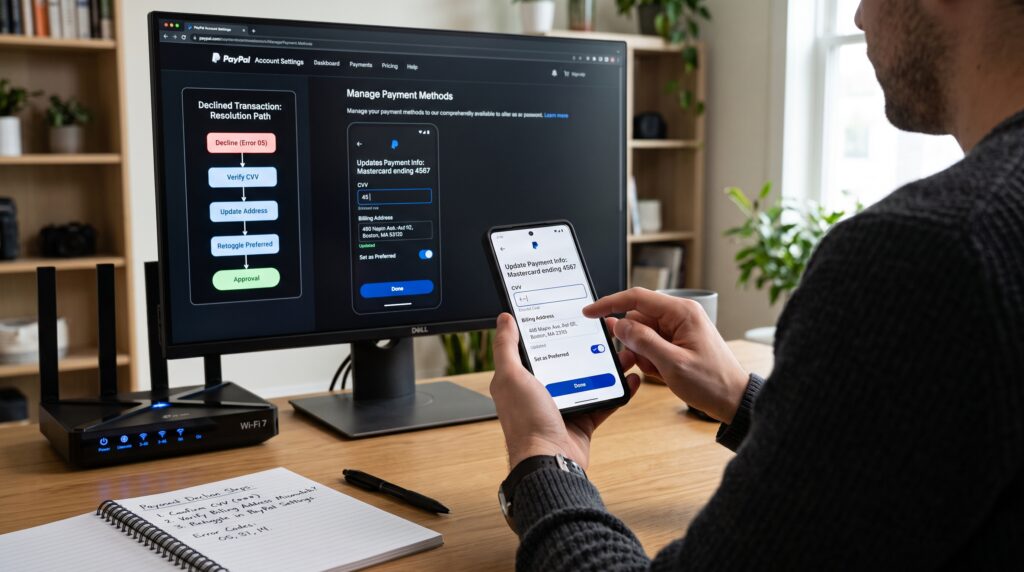
Why Your Payment Is Still Being Declined
Short Answer: If the PayPal Sorry Your Payment Was Declined Error continues after troubleshooting, your payment may still be blocked because of ongoing security reviews, bank authorization issues, merchant restrictions, or unresolved account verification requirements.
Some payment declines originate from your bank rather than PayPal, while others result from automated fraud prevention systems designed to protect buyers and sellers. Until the underlying issue is resolved, PayPal may continue rejecting the transaction.
Carefully reviewing your account notifications and payment method usually helps identify the cause.
Common Problems
Many users experiencing the PayPal Sorry Your Payment Was Declined Error encounter one or more of these common issues:
- Insufficient PayPal balance.
- Expired debit or credit card.
- Incorrect billing information.
- Temporary account limitations.
- Unverified PayPal account.
- Merchant-specific payment restrictions.
- Bank authorization failures.
- Security reviews triggered by unusual activity.
- Temporary technical issues affecting payment processing.
Checking each possibility greatly improves your chances of completing the payment successfully.
Common Myths About PayPal Payment Declines
Many users believe the PayPal Sorry Your Payment Was Declined Error always means their account has been permanently restricted, but that’s rarely true. Another common myth is that repeatedly attempting the same payment will eventually force it through. In reality, multiple failed attempts may trigger additional security checks. Some people also assume the problem is always caused by PayPal, when the decline may actually originate from the linked bank, card issuer, or even the merchant. Understanding these misconceptions helps you focus on the real cause instead of wasting time on ineffective solutions.
Comparison Table
| Problem | Recommended Solution |
|---|---|
| Insufficient funds | Add funds or choose another payment method |
| Expired payment card | Update your card information |
| Account limitation | Resolve requests in the Resolution Center |
| Billing information mismatch | Correct your billing details |
| Merchant restriction | Contact the seller or use another payment method |
| Security review | Wait and complete any requested verification |
These nine proven fixes resolve most cases of the PayPal Sorry Your Payment Was Declined Error. In the final section, we’ll answer frequently asked questions, explain what happens if your payments continue to be declined, share tips for preventing future payment failures, and summarize the most important takeaways.
What Happens If Your PayPal Payment Keeps Getting Declined?
If the PayPal Sorry Your Payment Was Declined Error continues to appear after multiple attempts, it’s important to stop retrying the same transaction and investigate the underlying cause. Repeated payment attempts may trigger additional security checks, making it even more difficult to complete the purchase. Instead, review your account notifications, confirm your payment method is valid, and verify that your linked bank or card has sufficient available funds. If everything appears correct, contact PayPal or your financial institution to determine whether the payment is being blocked because of security policies, account restrictions, or authorization issues.
How to Prevent Future PayPal Payment Declines
Preventing the PayPal Sorry Your Payment Was Declined Error is often easier than fixing it after it occurs. Keep your payment methods updated, verify your PayPal account, and make sure your billing information always matches your bank or card issuer’s records. Review your available balance before making large purchases, monitor your account for unusual activity, and avoid making repeated payment attempts if a transaction fails. These simple habits help reduce the chances of future payment declines while making your PayPal account more secure and reliable for everyday transactions.
Best Practices for Successful PayPal Payments
Following a few simple habits can greatly reduce the chances of seeing the PayPal Sorry Your Payment Was Declined Error in the future. Keep your PayPal account fully verified, update your debit cards, credit cards, and bank account information whenever changes occur, and always confirm that sufficient funds are available before making a purchase. It’s also wise to review your account regularly for security alerts and avoid submitting the same payment multiple times if it’s declined. By maintaining accurate account information and responding promptly to PayPal notifications, you can minimize payment interruptions and enjoy faster, more reliable transactions whenever you use PayPal.
Frequently Asked Questions
Why does PayPal keep saying “Sorry, your payment was declined”?
The PayPal Sorry Your Payment Was Declined Error usually appears when PayPal or your financial institution detects an issue with the transaction. Common causes include insufficient funds, an expired payment method, incorrect billing information, account verification requirements, or temporary security reviews.
How do I fix the PayPal payment declined error?
To fix the PayPal Sorry Your Payment Was Declined Error, review your available balance, verify your linked payment method, update your billing information, complete any PayPal verification requests, and check for account limitations. If the issue continues, contact PayPal Support for account-specific assistance.
Can my bank cause PayPal to decline a payment?
Yes. In some situations, the PayPal Sorry Your Payment Was Declined Error originates from your bank rather than PayPal. Banks may decline transactions because of insufficient funds, suspected fraud, spending limits, or temporary authorization issues.
Will PayPal tell me why my payment was declined?
Sometimes. PayPal may provide a general explanation through your account notifications or the Resolution Center. However, for security reasons, it may not always disclose the exact reason behind the PayPal Sorry Your Payment Was Declined Error.
Can I try the payment again?
Yes, but avoid repeatedly submitting the same transaction. If the PayPal Sorry Your Payment Was Declined Error continues to appear, review your payment method and account information first before trying again.
Does a declined PayPal payment mean my account is limited?
No. A declined payment doesn’t automatically mean your account has been limited. Many declined payments are caused by temporary verification issues, funding source problems, or merchant restrictions rather than permanent account limitations.
Final Thoughts
The PayPal Sorry Your Payment Was Declined Error can be frustrating, especially when you’re trying to complete an important purchase or send money quickly. Fortunately, most declined payments are caused by temporary issues such as insufficient funds, outdated payment information, account verification requests, or automated security reviews.
By reviewing your PayPal account, confirming your payment method, updating your billing details, and following the troubleshooting steps in this guide, you’ll resolve most payment decline issues without needing to create a new account. If the problem continues, PayPal Support can help identify account-specific restrictions and recommend the next steps.
Understanding the causes of the PayPal Sorry Your Payment Was Declined Error will help you troubleshoot future payment problems more efficiently and reduce the likelihood of seeing the same error again.
Key Takeaways
- The PayPal Sorry Your Payment Was Declined Error is usually temporary.
- Check your PayPal balance and linked payment methods first.
- Verify your billing information and account details.
- Complete any pending PayPal verification requests.
- Avoid repeatedly retrying failed payments.
- Review the Resolution Center for account alerts.
- Contact PayPal Support if the issue persists after troubleshooting.
Leave a Reply