
How to Link a Virtual Card to Cash App
If you’re trying to Link Virtual Card to Cash App, you’re not alone. Virtual cards have become increasingly popular because they offer added security for online purchases and help protect your actual card information. Many users want to know whether these digital payment cards can also be connected to Cash App for sending money, receiving payments, or managing their finances more conveniently.
The good news is that you may be able to Link Virtual Card to Cash App, depending on the type of virtual card you have and whether it’s supported by Cash App. Some virtual debit cards issued by banks and financial institutions work just like physical debit cards, while others have restrictions that prevent them from being linked to payment apps.
Understanding how to Link Virtual Card to Cash App correctly helps you avoid common errors and determine whether your card is compatible before spending time troubleshooting. A few simple checks can often save you from repeated failed attempts.
In this guide, you’ll learn whether you can Link Virtual Card to Cash App, which virtual cards are generally supported, and the exact steps to connect your card successfully.
Quick Answer
To Link Virtual Card to Cash App, open Cash App, go to your linked payment methods, choose to add a debit card, and enter your virtual card information. If the card is supported by Cash App and your card issuer allows digital wallet connections, it can usually be linked just like a physical debit card.
Table of Contents
Can You Link a Virtual Card to Cash App?
Short Answer: Yes, in many cases you can Link Virtual Card to Cash App, but compatibility depends on the card issuer and whether the virtual card functions as a supported debit card.
Cash App generally accepts eligible Visa and Mastercard debit cards issued by participating financial institutions. If your virtual card is backed by one of these networks and supports online transactions, it may work without any additional setup.
However, some prepaid, temporary, or single-use virtual cards cannot be linked because of issuer restrictions.
Which Virtual Cards Work With Cash App?
Short Answer: Virtual debit cards issued by banks and supported financial institutions are the most likely to work with Cash App.
Many digital banking providers issue virtual debit cards that function almost identically to physical cards. As long as the card supports recurring online transactions and isn’t restricted by the issuer, you may be able to Link Virtual Card to Cash App successfully.
Cards designed only for one-time purchases or limited merchant use typically aren’t compatible.
Before You Link Your Virtual Card
Before adding your virtual card, review a few important details.
Make sure your virtual card is active, verify that the card number, expiration date, and security code are correct, and confirm that the issuing bank allows the card to be used with third-party payment apps. It’s also helpful to update Cash App to the latest version before beginning the setup process.
Completing these checks can prevent many Link Virtual Card to Cash App errors.
Steps to Link a Virtual Card to Cash App
Step 1: Open Cash App and Go to Linked Banks
Launch Cash App and sign in to your account.
Navigate to the section where you manage your linked bank accounts and payment methods. From there, choose the option to add a new debit card before entering your virtual card details.
This is the starting point for anyone trying to Link Virtual Card to Cash App.
Step 2: Enter Your Virtual Card Details
Carefully enter the information exactly as it appears in your virtual card account.
You’ll typically need the card number, expiration date, CVV, and billing ZIP code. Double-check every detail before continuing because even a small mistake can prevent the card from being accepted.
Accurate information is essential when you Link Virtual Card to Cash App.
Step 3: Verify and Save the Card
After entering your card details, follow any verification steps required by Cash App or your card issuer.
Some financial institutions may send a one-time verification code or request additional confirmation before allowing the card to be linked. Once verification is complete, save the card and confirm that it appears in your linked payment methods.
If everything is accepted, you’ve successfully completed the process to Link Virtual Card to Cash App.
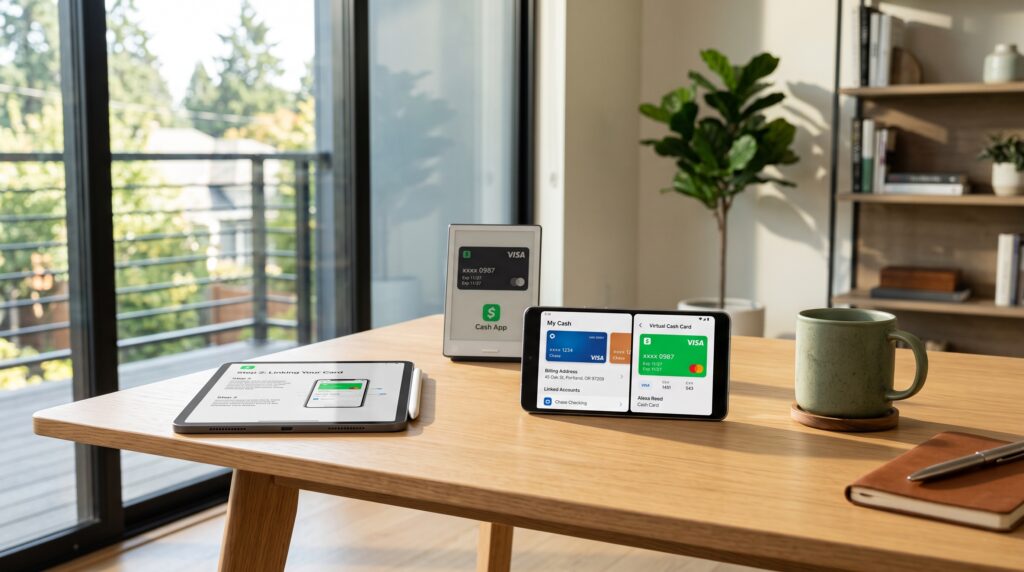
Comparison Table
| Step | Purpose |
|---|---|
| Open Linked Banks | Access payment method settings |
| Enter virtual card details | Add the required card information |
| Verify and save | Complete the card linking process |
These first three steps allow many users to successfully Link Virtual Card to Cash App. In the next section, we’ll cover additional troubleshooting steps, explain why some virtual cards aren’t accepted, and show you how to resolve the most common linking problems.
More Steps and Troubleshooting
Step 4: Confirm the Card Is Supported
Not every virtual card can be used with Cash App.
Some virtual cards are created only for online shopping, one-time purchases, or specific merchants. These cards may not support the recurring verification process required by payment apps. Before trying again, check with your card issuer to confirm that the virtual card supports third-party payment platforms.
Verifying compatibility is one of the quickest ways to solve a Link Virtual Card to Cash App issue.
Step 5: Check Billing Information
Incorrect billing information is another common reason virtual cards fail to link.
Review your billing ZIP code, cardholder name, expiration date, and security code. Even if the virtual card number is correct, mismatched billing information may cause Cash App to reject the card.
Carefully reviewing your information can prevent unnecessary Link Virtual Card to Cash App errors.
Step 6: Verify With Your Card Provider
Some banks and financial institutions require additional verification before allowing virtual cards to work with payment apps.
Contact your card provider and ask whether the card is eligible for Cash App and whether any restrictions have been placed on digital wallet or peer-to-peer payment services.
This step often resolves Link Virtual Card to Cash App problems caused by issuer policies rather than Cash App itself.
Step 7: Update the Cash App
Using an outdated version of Cash App can sometimes create unexpected compatibility issues.
Visit your device’s app store and install the latest version available. Updates frequently include bug fixes, security improvements, and better support for payment methods.
Keeping Cash App updated helps reduce Link Virtual Card to Cash App issues.
Step 8: Remove and Re-add the Card
If your virtual card was previously linked but stopped working, try removing it and adding it again.
Refreshing the payment method allows Cash App to request updated verification from the card issuer. In many situations, re-adding the card resolves temporary linking errors.
This simple step is often overlooked when troubleshooting a Link Virtual Card to Cash App issue.
Step 9: Contact Cash App Support
If every troubleshooting step fails, contact Cash App Support.
Explain the issue, mention your virtual card provider, and provide any error messages you’ve received. If necessary, Support can confirm whether the card is unsupported or whether another account-related issue is preventing the connection.
Detailed information helps resolve Link Virtual Card to Cash App issues more efficiently.
Why Your Virtual Card Won’t Link
Short Answer: If you can’t Link Virtual Card to Cash App, the card may not be supported, your billing information may be incorrect, the issuer may restrict payment apps, or Cash App may not be able to verify the card.
Not every virtual card is designed to work with peer-to-peer payment services. Some are limited to online purchases, while others require additional verification before they can be used with third-party apps.
Checking both your Cash App account and your card issuer’s policies usually identifies the real cause.

Common Problems
Users attempting to Link Virtual Card to Cash App often encounter these issues:
- Unsupported virtual card.
- Incorrect billing information.
- Card issuer restrictions.
- Verification failed.
- Outdated Cash App version.
- Temporary connection errors.
- Expired virtual card.
- Incorrect card details.
- Bank security review.
Reviewing each of these possibilities helps speed up troubleshooting.
What Most Users Don’t Check First
One of the most common mistakes people make when trying to Link Virtual Card to Cash App is assuming every virtual card works the same way. In reality, compatibility depends on the card issuer, not just the fact that the card is virtual. Many users spend time re-entering their card details when the actual issue is that the provider doesn’t allow peer-to-peer payment apps. Confirming your issuer’s compatibility policy before troubleshooting can save time and quickly explain why the card isn’t being accepted.
Comparison Table
| Problem | Recommended Solution |
|---|---|
| Unsupported virtual card | Confirm compatibility with the issuer |
| Incorrect billing details | Update your card information |
| Card verification failed | Complete any required verification |
| Outdated Cash App | Install the latest version |
| Issuer restriction | Contact your card provider |
| Card still won’t link | Contact Cash App Support |
These nine steps solve most Link Virtual Card to Cash App issues. In the final section, we’ll answer frequently asked questions, explain how to avoid future linking problems, discuss signs that a virtual card isn’t compatible, and summarize the most important takeaways.
Can You Use a Virtual Card on Cash App?
Many users successfully Link Virtual Card to Cash App, but success depends on whether the virtual card supports third-party payment platforms. Virtual debit cards issued by banks or trusted financial institutions are generally more likely to work than temporary, merchant-specific, or single-use virtual cards. Before attempting to add your card, confirm that it supports recurring online transactions and peer-to-peer payment services. This simple check can save time and prevent unnecessary troubleshooting.
How to Avoid Virtual Card Linking Problems
The best way to avoid Link Virtual Card to Cash App issues is to keep your Cash App updated, verify your billing information carefully, and use a virtual card from a supported issuer. Before entering your card details, confirm that the card is active and approved for use with payment apps. Regularly reviewing your payment methods and replacing expired virtual cards also helps reduce future linking problems.
Signs Your Virtual Card Isn’t Compatible
Several warning signs may indicate that you can’t Link Virtual Card to Cash App because of compatibility limitations. If the card is intended for one-time purchases, doesn’t support recurring transactions, repeatedly fails verification despite correct information, or your provider specifically blocks peer-to-peer payment apps, it’s likely incompatible. In these cases, using another eligible virtual or physical debit card is usually the fastest solution.
Tips for Successfully Linking a Virtual Card
If you’re trying to Link Virtual Card to Cash App, taking a few extra precautions can improve your chances of success. Always use the most recent virtual card details provided by your bank or card issuer, especially if your provider generates new card numbers automatically. Make sure the card is activated, has not expired, and is approved for online transactions. It’s also important to enter the billing ZIP code and cardholder information exactly as they appear in your account, since even small mismatches can cause the linking process to fail.
If your virtual card still isn’t accepted after multiple attempts, avoid repeatedly entering the same information. Instead, confirm with your card provider that the card supports peer-to-peer payment services like Cash App. Some virtual cards are designed only for online purchases and cannot be linked to payment apps. Taking a few minutes to verify compatibility before trying again can save time and help you Link Virtual Card to Cash App without unnecessary frustration.
Frequently Asked Questions
Can you use a virtual card on Cash App?
Yes, you may be able to Link Virtual Card to Cash App if your virtual card is issued by a supported financial institution and functions like a standard debit card. However, compatibility depends on the card issuer and the type of virtual card you have.
Why won’t my virtual card link to Cash App?
If you can’t Link Virtual Card to Cash App, the most common reasons include unsupported card types, incorrect billing information, issuer restrictions, failed verification, or temporary Cash App issues.
Do all virtual debit cards work with Cash App?
No. Some virtual debit cards are fully compatible with Cash App, while others are limited to online purchases or single-use transactions. Always verify compatibility with your card issuer before attempting to add the card.
Can I use a prepaid virtual card?
Some prepaid virtual cards may not be supported by Cash App. Eligibility depends on the provider, card network, and any restrictions placed on peer-to-peer payment services.
Is it safe to link a virtual card?
Yes. Linking a supported virtual card to Cash App is generally safe, provided the card is issued by a reputable financial institution and you protect your Cash App account with strong security settings.
Should I contact Cash App or my card provider?
If you’ve verified your card details and still can’t Link Virtual Card to Cash App, contact your card provider first to confirm compatibility. If the card is supported but still won’t link, reach out to Cash App Support for further assistance.

Final Thoughts
Trying to Link Virtual Card to Cash App is usually a simple process when your virtual card meets Cash App’s compatibility requirements. Most users can successfully add their card by entering the correct information, completing any required verification, and ensuring their card issuer allows connections to third-party payment platforms.
If your card isn’t accepted, don’t assume Cash App is at fault. Checking with your card provider, reviewing your billing information, and updating the Cash App often resolve the issue. When compatibility restrictions exist, using a different supported debit card may be the only solution.
Understanding how to Link Virtual Card to Cash App helps you avoid common errors, complete the setup more quickly, and enjoy a smoother payment experience.
Key Takeaways
- Link Virtual Card to Cash App is possible with many supported virtual debit cards.
- Confirm that your card issuer allows peer-to-peer payment apps.
- Enter your card details exactly as provided.
- Verify your billing information before saving the card.
- Keep Cash App updated to avoid compatibility issues.
- Contact your card provider if the card continues to be rejected.
- Reach out to Cash App Support if all troubleshooting steps fail.
Leave a Reply