
Introduction
If you are trying to cash a check on Dave App without connecting through Plaid, you may search every account menu and still find no mobile check deposit button. That is not necessarily an app error or a missing permission. Dave has retired its check deposit and check cashing feature on both Android and iOS.
The change means Plaid is no longer the deciding issue. Even an eligible adult with a connected external bank cannot currently cash a check on Dave App. Instead, the check must be processed through another legitimate provider before the money can be moved into Dave Checking.
This guide explains why users can no longer cash a check on Dave App and presents seven practical alternatives. It also covers fees, processing times, rejected checks, account safety, and the difference between depositing a check and depositing physical cash.
Quick Answer
You cannot currently cash a check on Dave App, with or without a Plaid connection. Dave removed check cashing from Android on October 6, 2025, and from iOS on January 31, 2026, so there is no official in-app check submission flow to unlock.
Because an eligible adult cannot cash a check on Dave App, they can use a bank, credit union, legitimate mobile deposit provider, issuing bank, or authorized retailer instead. After the check clears, the money may be transferred to Dave through an available supported method.
Table of Contents
Can You Still Cash a Check on Dave App?
No. Dave’s official check-cashing update confirms that members can no longer cash a check on Dave App through either supported mobile platform. Android access ended first, followed by iOS in early 2026.
That policy applies whether or not an external account is connected. Plaid may help financial apps securely obtain authorized account information, but it cannot add a product that Dave has discontinued. Reinstalling the app, changing phones, or searching for an older version will not create a supported way to cash a check on Dave App.
Dave recommends using a traditional bank or credit union when someone cannot cash a check on Dave App, then transferring cleared funds electronically. Other options depend on the check type, provider rules, and account holder’s eligibility. Always confirm current terms before signing or submitting the check.
Why Old Dave Check-Cashing Tutorials No Longer Work
Older guides may show screens that once allowed members to cash a check on Dave App with a camera and third-party processor. Those screenshots reflected a feature that existed when the guide was made. They do not represent the current Dave app.
Some pages also confuse mobile check deposit with connecting an external checking account through Plaid. These are different services: one converts an eligible paper check into deposited funds, while the other shares bank data or supports transfers. Removing the need for Plaid would not bring back the ability to cash a check on Dave App.
Avoid unofficial versions claiming they still let users cash a check on Dave App. A retired financial function depends on active server support, verification, and processing relationships, not only a button. An unofficial installation may expose login information without depositing the check.
Why Plaid Is Not the Main Problem
Plaid can connect financial accounts, confirm ownership, and provide authorized account data, but it does not cash a check on Dave App. A failed connection may affect certain transfers or features. It does not explain the missing mobile check deposit option.
| Situation | Does Plaid solve it? | Best response |
|---|---|---|
| Dave check-cashing button is missing | No | Use a current supported alternative |
| External bank will not connect | Possibly | Check credentials, bank support, and connection status |
| Paper check needs endorsement | No | Follow the receiving provider’s instructions |
| Check deposit is on hold elsewhere | No | Contact the institution holding the deposit |
| Cleared funds need to reach Dave | Sometimes | Use an eligible transfer or funding method |
A failed Plaid connection and a retired check feature can exist at the same time, but they require different solutions. Troubleshooting Plaid may help reconnect an outside account. It still will not enable anyone to cash a check on Dave App today.
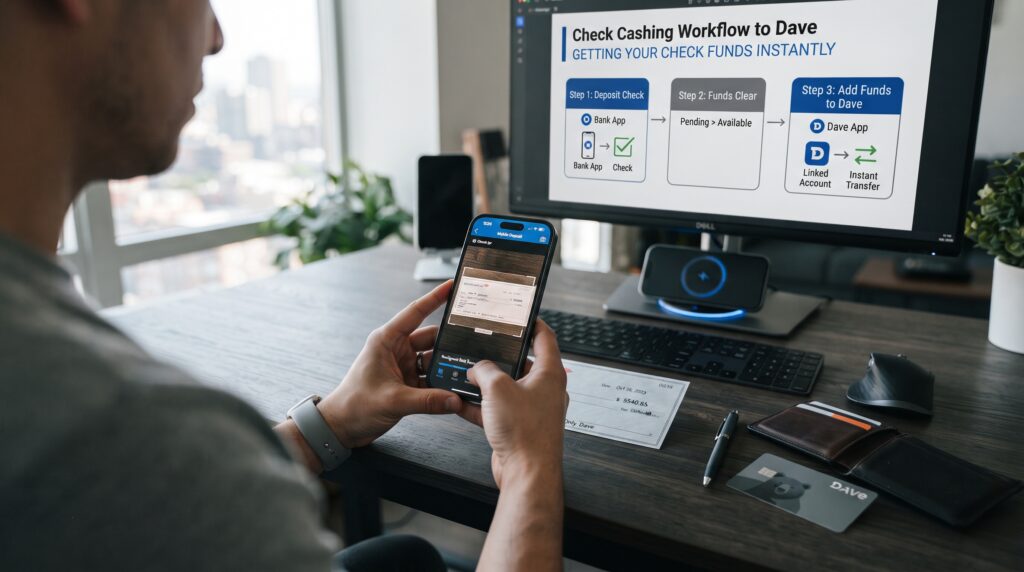
How to Handle a Check Without a Dave Plaid Connection
When you cannot cash a check on Dave App, the best alternative depends on your existing accounts, timing, and check type. Review the fees and endorsement instructions before choosing. Never sign the back until the receiving provider explains its requirements.
1. Deposit the Check at Your Existing Bank
If you already have an account at a traditional bank, its mobile app or branch may accept the check. This is often the simplest substitute when you cannot cash a check on Dave App. The account name normally needs to match the payee written on the check.
Open the bank’s official app or ask a branch employee about requirements when you cannot cash a check on Dave App. Providers may request a signature plus restrictive wording, but the exact endorsement varies. Follow that institution’s directions so the check is not marked incorrectly.
After submission, save the confirmation and keep the original check in a secure place until the bank says it can be destroyed. Deposited funds may be partly available before the check fully clears. Do not spend or transfer more than the bank has made available.
2. Use a Credit Union Account
A credit union may offer branch, ATM, or mobile deposits when you cannot cash a check on Dave App. Local credit unions sometimes have accessible account options, but membership, identity, and age rules still apply. Check eligibility and fees before using an account.
If the check is accepted, wait until the credited funds are available under the credit union’s hold policy. Then use a supported electronic transfer if you want the money in Dave Checking. This route replaces the attempt to cash a check on Dave App rather than bypassing Dave’s policy.
Do not open several accounts merely because you cannot cash a check on Dave App. Duplicate deposits can trigger reversals, restrictions, and investigations even when the first attempt appears delayed. Contact the first institution before trying another submission.
3. Visit the Bank Printed on the Check
The issuing bank may provide an alternative when you cannot cash a check on Dave App. Policies vary, and a non-customer may need acceptable identification and pay a fee. The bank can also refuse the transaction under its rules.
Before traveling because you cannot cash a check on Dave App, call an official branch number or check its website. Ask about accepted checks, identification, age rules, and fees. Do not rely on contact details in an unsolicited message.
If the issuing bank provides cash, count it before leaving and keep the receipt. Eligible adult Dave members may then use an official cash-deposit option if they want the funds in Dave Checking. Cashing at the issuing bank does not technically cash a check on Dave App; it completes the check transaction elsewhere.
4. Use an Authorized Retail Check-Cashing Service
Some authorized retailers offer another route when you cannot cash a check on Dave App. Accepted check types, maximum amounts, fees, identification requirements, and availability differ widely. Contact the location directly before visiting.
Compare fees carefully when choosing among safe Dave check-cashing service alternatives. Read the receipt and confirm the exact amount before approval. Avoid providers asking for banking credentials, remote access, or unrelated advance payment.
Once the check becomes cash, it cannot also be deposited elsewhere. Write down where and when it was cashed, then keep the receipt. This is a legitimate alternative for someone who cannot cash a check on Dave App and has confirmed the retailer’s terms.
5. Use Another Legitimate Mobile Deposit Provider
Another financial app may help when you cannot cash a check on Dave App. That provider has its own ownership rules, supported checks, review process, fees, limits, and availability schedule. A feature elsewhere does not mean Dave supports the same action.
Use only a verified provider when selecting an alternative to cash a check on Dave App. Download its official app, confirm its banking or processing arrangement, and review its support information. Never upload a check image to a random website.
After acceptance, keep the paper check until the provider’s retention period ends. Wait for the funds to clear before transferring them. This path lets the receiving provider process the check first, after which cleared money may be sent through a separate supported transfer.
6. Ask the Payer to Replace the Check Electronically
If you cannot cash a check on Dave App, the payer may cancel the unused check and issue electronic payment. Employers, benefits administrators, insurers, and businesses have their own replacement procedures. A stop-payment or reissue may take time.
Contact the payer through verified details and explain that you cannot cash a check on Dave App. Do not claim the check is lost if you still have it. The payer may require its return or destruction under written instructions.
Electronic payment can prevent the same problem in future cycles. Eligible adults can provide Dave Checking routing and account details through the official direct-deposit process when the payer supports it. This avoids needing to cash a check on Dave App for later payments.
7. Cash the Check Elsewhere and Deposit the Cash
An eligible adult who cannot cash a check on Dave App may use a legitimate provider, then add the resulting cash at a participating location. Dave’s official cash-deposit instructions explain how to find one and follow its barcode or card process. Check availability, limits, and fees first.
This two-stage option does not cash a check on Dave App. The first provider verifies the check, while the retail network adds physical currency to Dave Checking. The deposit cashier is not processing the original check for Dave.
Keep both receipts until the Dave balance shows the correct deposit. If the cash deposit fails and no receipt is produced, ask for the cash back immediately. Never leave money with a cashier based only on a promise that the account will update later.
Comparing the Best Check-Cashing Alternatives
| Alternative | Possible speed | Possible cost | Main consideration |
| Existing bank mobile deposit | Same day to several business days | Often free | Deposit holds may apply |
| Bank or credit union branch | Varies by policy | Often free for customers | Account and ID requirements |
| Bank printed on the check | Potentially same day | Non-customer fee may apply | Bank may decline the request |
| Retail check-cashing service | Often same day | Usually a stated fee | Check types and limits vary |
| Another mobile deposit app | Varies | Free or paid options | Verify legitimacy and hold terms |
| Payer replacement | Several days or longer | Often free | Original check may be canceled |
| Cash elsewhere, then deposit cash | Often same day | One or two fees may apply | Requires two separate transactions |
The fastest option for handling a paper Dave check is not always the best. A free bank deposit may preserve more money than an instant percentage-based service. Compare total cost, travel, safety, and availability.
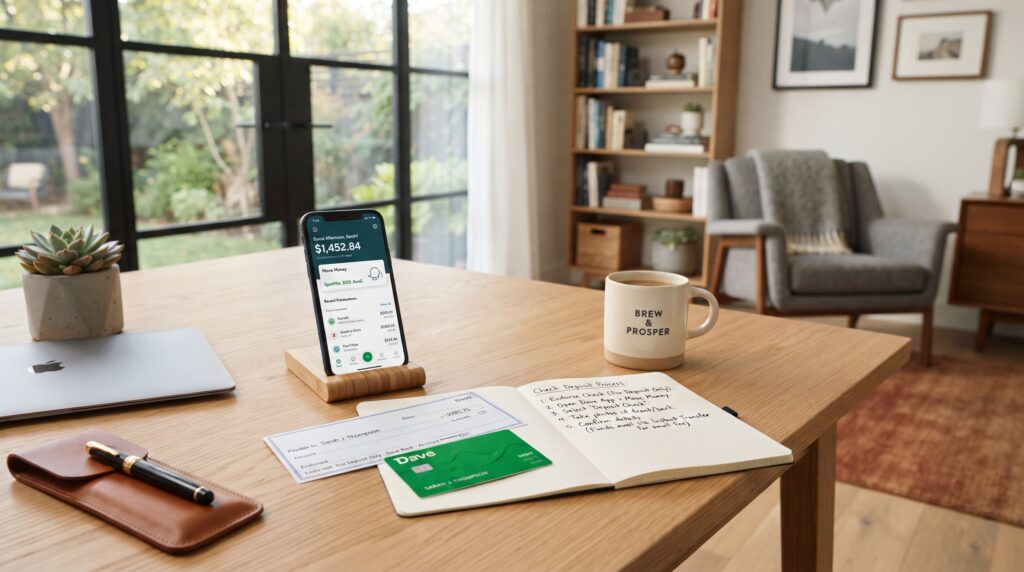
How to Transfer Cleared Check Funds to Dave
After another institution processes the item, you no longer need to cash a check on Dave App. An eligible Dave member can review the transfer methods shown inside Dave Checking. The choice may involve a bank transfer, debit-card funding, or another supported option.
When you cannot cash a check on Dave App, do not transfer provisional funds from another provider. If the check is returned, that institution can remove the credit and assess fees. Wait until the money is available for withdrawal or transfer.
Transfer limits and timing can differ by method. Verify the destination account and amount before confirming. A transfer from cleared funds is not a hidden way to cash a check on Dave App; it is a separate movement of money already processed elsewhere.
What Checks Are Commonly Rejected?
Every alternative used because you cannot cash a check on Dave App has its own rejection rules. Understanding common problems helps protect the check while you select a provider.
- The payee name does not match the account holder.
- The check is unsigned, damaged, altered, expired, or postdated.
- The numerical and written amounts do not match.
- The check image is blurry, cropped, shadowed, or reflective.
- The endorsement is missing or does not follow provider instructions.
- The same check was already submitted or cashed.
- The check type or amount exceeds the provider’s policy.
- The payer’s account cannot cover or verify the item.
A rejection by one provider does not automatically prove the check is invalid. Ask for the stated reason before changing anything or presenting it elsewhere. Never edit the payee, date, amount, routing information, or signature to make a rejected check pass.
Common Mistakes to Avoid
Looking for a Hidden Dave Setting
There is no supported switch that restores the retired feature. Changing permissions or connecting Plaid will not make it possible to cash a check on Dave App. Use the time to select a current deposit alternative instead.
Following an Outdated Video Exactly
Old videos about how to cash a check on Dave App may show screens that no longer exist. Check the publication date against official support information. Never install an outdated app build to imitate the tutorial.
Endorsing the Check Too Early
Different alternatives to cash a check on Dave App may require specific endorsement language. The wrong restriction can make another institution reject the check. Choose the receiving provider first and follow its instructions.
Depositing the Same Check Twice
Submitting the item again while the first deposit is pending can cause serious account problems. A delayed confirmation does not mean the check is unused. Contact the original provider and obtain a clear status before taking another action.
Paying an Unverified “Dave Agent”
No support agent can privately activate the ability to cash a check on Dave App. Do not send a fee, verification code, check photo, or account password through social media. Start support conversations inside the official Dave app.
Pro Tips for Handling a Paper Check Safely
- Verify the payer and check amount before choosing a provider.
- Photograph the front and back for private records before submission.
- Do not post check images because they contain sensitive banking information.
- Read the provider’s endorsement instructions before signing.
- Compare check-cashing fees with free deposit options.
- Keep the original check and receipts until processing is complete.
- Wait for cleared funds before sending money or paying bills.
- Contact the payer quickly if the check appears altered or incorrect.
These habits reduce avoidable delays and duplicate-deposit problems. They also provide useful evidence if a legitimate provider needs to trace the transaction. Store every image and receipt securely.
Frequently Asked Questions
Can I Cash a Check on Dave App Without Plaid?
No. Plaid is not the reason the button is unavailable because Dave retired its check deposit and check-cashing feature. Neither connecting nor disconnecting Plaid currently restores it.
Did Dave Remove Mobile Check Deposit?
Yes. Dave states that check deposit and check cashing ended on Android in October 2025 and iOS in January 2026. Current members must process paper checks through another eligible provider.
Can I Deposit a Check Directly Into Dave Checking?
Dave’s current help guidance says the app no longer offers paper-check deposit. Deposit or cash the item elsewhere first, then use a supported method to move cleared funds. Do not mail the check to an address unless Dave officially instructs you to do so.
Can Plaid Cash My Check for Dave?
No. Plaid connects supported financial accounts and shares authorized data; it is not the retired Dave check-cashing feature. A successful bank connection may support a later transfer but does not process the paper check itself.
Can I Deposit Check Cash at Walgreens or CVS?
A participating retail location may accept physical cash for Dave Checking under the current in-app process. It does not generally turn a paper check into a Dave deposit at the register. Cash the check through an authorized provider first and confirm the cash-deposit instructions separately.
How Long Does an External Check Deposit Take?
Timing depends entirely on the institution that accepts the check. Some funds may be available quickly, while other deposits receive multi-day holds or extended review. Read the provider’s funds-availability disclosure and do not assume a displayed balance has fully cleared.
What If My Check Is Already Endorsed for Dave?
Do not cross out or rewrite the endorsement without guidance. Contact Dave support and the institution you want to use, explain exactly what is written, and ask whether the check can still be accepted. The payer may need to replace it if no provider can process it.
Is There a Fee to Move the Money Into Dave?
Fees depend on the check-cashing provider and the later Dave funding method. A check service may charge one fee, while a retail cash deposit or faster transfer may charge another. Review both stages so the combined cost is clear.
Can Someone Under 18 Open Dave Checking to Deposit a Check?
No. Dave’s deposit agreement says Dave Checking applicants must be at least 18 and meet its other eligibility requirements. A minor should not enter a false birth date or use another person’s identity to open an account.

Conclusion
You cannot currently cash a check on Dave App, whether or not Plaid is connected. Dave retired the feature across Android and iOS, so missing buttons and outdated tutorials are not fixed by reconnecting an external bank. The paper check must be processed somewhere else.
For many people, the simplest route is depositing the check at an existing bank or credit union and transferring the cleared funds later. Other legitimate options include the bank printed on the check, an authorized retailer, another verified mobile deposit provider, or a replacement electronic payment from the payer.
Choose the provider before endorsing the check, compare fees, and wait for final availability. If an eligible adult wants the proceeds in Dave Checking, use only the funding options currently displayed in the official app. That approach is safer than trying to restore an unsupported way to cash a check on Dave App.
Key Takeaways
- Dave no longer lets members cash a check on Dave App through Android or iOS.
- Plaid cannot restore a retired feature or make a hidden check button appear.
- The safest alternative is often depositing the check into an account held in the same legal name.
- Check-cashing fees, identity requirements, limits, and hold times vary by provider.
- Physical cash can be added to Dave Checking at participating locations, but that is a separate transaction.
- Dave Checking is available only to people who meet its eligibility requirements, including being at least 18.
Leave a Reply