
Introduction
Opening Wallet and finding the Apple Cash card missing can be confusing, especially if it appeared on the device before. The balance may still exist, yet the usual black Apple Cash card is absent from the card stack. An Apple Cash card not showing can result from setup, account, device, regional, age, or security conditions.
An Apple Cash card not showing is different from a missing Apple Card or ordinary debit card. Apple Cash is a separate service provided through Green Dot Bank, while Apple Card is a credit product and other cards come from their issuers. Start by identifying which card disappeared.
Most users can resolve an Apple Cash card not showing by checking whether Apple Cash is enabled, updating the device, confirming the Apple Account and region, or completing Family Sharing. A restricted account may instead require verification, review, or specialist help.
Table of Contents
Quick Answer
To fix an Apple Cash card not showing in Wallet, open Settings, select Wallet & Apple Pay, and confirm that Apple Cash is turned on. Make sure the device has the latest supported operating system, a passcode, the correct U.S. region, iCloud access with the expected Apple Account, and two-factor authentication.
Adults setting up their own account must meet Apple’s current eligibility requirements. A child or teen under 18 cannot create an independent adult Apple Cash account; the Family Sharing organizer must set up Apple Cash Family legitimately. If the account is restricted, locked, or under review, follow the status message rather than repeatedly changing settings.
Apple Cash Card vs. Apple Card in Wallet
Apple Cash holds money received from other people, added from supported cards, or obtained through eligible Apple services. Apple Card is a credit card issued separately, and its Wallet tile, account, approval, and support flow are different. A bank debit or credit card added to Apple Pay is different from both.
| Wallet item | Main purpose | Typical appearance problem |
|---|---|---|
| Apple Cash | Store, send, receive, and spend an Apple Cash balance | Setup, region, Family, or account status |
| Apple Card | Credit purchases and account management | Card invitation, account, or device issue |
| Bank card | Pay through Apple Pay using an issuer card | Issuer verification or device provisioning |
| Transit or ID card | Transit, access, or identity features | Regional and provider availability |
If the Apple Cash card not showing issue affects only Apple Cash, do not remove every bank card from Wallet. Those cards may work normally and require issuer verification to add again. Troubleshoot the Apple Cash card not showing independently.
Why Is the Apple Cash Card Not Showing?
An Apple Cash card not showing can follow a device change, software update, Apple Account change, Family Sharing adjustment, or security review. It may also happen during first-time setup because one requirement remains incomplete. The following causes are most common.
Apple Cash Is Turned Off
Apple Cash has its own switch in Wallet & Apple Pay settings. If it is off, an Apple Cash card not showing on that device can occur even while the account remains active elsewhere. This is one of the fastest explanations to check.
Turning Apple Cash off on one device does not necessarily disable it elsewhere. That can explain an Apple Cash card not showing on the iPhone while appearing on an iPad or Apple Watch. Use the same Apple Account and review each device separately.
The Device Region Is Not Set Correctly
Apple Cash is a U.S. service, and the device region is part of setup. A region change during travel, device restoration, or initial configuration can lead to the Apple Cash card not showing. Language alone is not the same as region.
Changing the region setting to obtain a service for which the user is not actually eligible is not an appropriate fix. The account holder must meet Apple Cash location and residency requirements. Use accurate settings that reflect the real situation.
The Apple Account or iCloud Session Changed
Apple Cash is tied to the Apple Account used with iCloud. Another account, partial sign-out, or different restoration account can cause an Apple Cash card not showing in Wallet. A password or security prompt may also pause services.
Check the Apple Account at the top of Settings and confirm it is the intended one. Do not sign out immediately if photos, messages, device backups, or other data have not synchronized. Resolve any account alert first.
Two-Factor Authentication Is Not Enabled
Apple requires two-factor authentication for Apple Cash setup. If account security is incomplete or a trusted phone number cannot be verified, setup may stop before the card appears. An Apple Cash card not showing can therefore be a security-requirement issue rather than a Wallet display bug.
Open the Apple Account security settings and follow only official prompts. Never provide a verification code to someone claiming they can activate the card remotely. Apple support does not need the user’s password or one-time code.
The Device or Software Is Not Eligible
Apple Cash requires a compatible device with a supported operating system. Older hardware or outdated software can cause an Apple Cash card not showing because Wallet features do not load correctly. A beta or managed configuration can also introduce unusual behavior.
Check for an update and confirm the device has enough storage and power to install it. Back up important data before major software changes. Do not install unofficial profiles or modified software to force Wallet compatibility.
Apple Cash Family Setup Is Incomplete
For someone under 18, Apple Cash must be set up through Apple Cash Family by the organizer. Incomplete setup, a pending invitation, another Apple Account, or missing device requirements can cause an Apple Cash card not showing. Entering a false adult birth date is not valid.
The organizer and family member need compatible devices, iCloud sign-in, two-factor authentication, and the correct U.S. device region. The organizer may also need to verify their identity. Family controls can limit or lock the family member’s Apple Cash account.
Screen Time or Device Management Blocks Wallet
Screen Time restrictions, school or employer management profiles, and device policies can limit Wallet changes. The Wallet app might still open while certain cards or account actions remain unavailable. This can make the Apple Cash card not showing problem look like failed setup.
Review allowed apps, account changes, and Wallet permissions when an Apple Cash card not showing occurs. On a managed device, only the authorized administrator should change the controlling profile. Removing management without permission can affect security and access.
The Account Is Restricted, Locked, or Under Review
Apple Cash accounts may be restricted or locked for security, identity, regulatory, chargeback, or fraud reasons. An Apple Cash card not showing may accompany a status message in Wallet settings. During review, some features can remain unavailable.
Repeated verification attempts with inconsistent information can make resolution harder. Use accurate legal details and follow the displayed instructions. If there are no instructions, contact the official Apple Cash support route.
A Temporary Wallet or Apple Service Error Occurred
Wallet can fail to refresh after an update, restore, sign-in, or temporary service interruption. The Apple Cash card not showing may resolve after the device reconnects and account data synchronizes. A local network issue can also delay the refresh.
Check whether other Wallet services work and whether the Apple Cash card not showing affects another eligible device. Use a stable private network and restart before major account changes. Avoid repeated toggling while setup is processing.
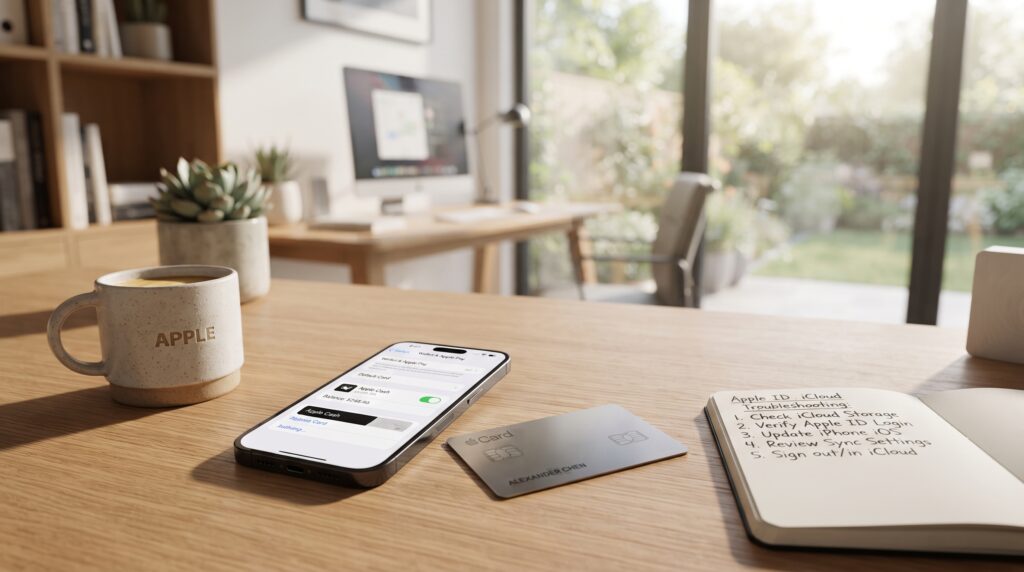
How to Fix Apple Cash Card Not Showing in Wallet
Work through these nine steps in order. Check Wallet after each step so you know which action fixed the Apple Cash card not showing issue.
1. Confirm Apple Cash Is Enabled
Open Settings, select Wallet & Apple Pay, and find the Apple Cash switch. Turn it on if disabled, then follow any prompt. Return to Wallet and allow time for the Apple Cash card not showing state to refresh.
Apple’s official Apple Cash setup guide lists the current requirements and setup path. If Apple Cash is already enabled, turn it off and on only when there is no pending review or instruction warning against changes. Record any error message before leaving the screen.
2. Restart the Device and Wallet
Close Wallet, restart the iPhone, and reopen the app. A restart can clear an Apple Cash card not showing display problem without changing the balance or deleting cards. It is safer than immediately signing out or resetting.
If the Apple Cash card not showing problem started after an update, allow the device to finish background setup. Connect to power and reliable Wi-Fi for a while. Then check both Wallet and Settings under Wallet & Apple Pay.
3. Update iOS, iPadOS, or watchOS
Open Settings, choose General, and select Software Update. Install the latest supported public release after backing up the device and confirming adequate battery and storage. Update a paired Apple Watch through the Watch app when needed.
An old system may lack current requirements or contain a resolved Wallet bug. Updating cannot override eligibility, but it removes one Apple Cash card not showing cause. Avoid untrusted beta profiles on a payment device.
4. Verify Region, Language, and Location Eligibility
Open Settings, select General, then Language & Region, and confirm that Region accurately shows the United States when the account holder is eligible. Apple Cash availability covers supported U.S. locations described in Apple’s terms. Merely changing the setting does not create residency eligibility.
If the Apple Cash card not showing began after travel, do not assume travel itself closed the account. Check whether the device region changed and whether the Apple Account needs a security confirmation. Contact support when correct settings still fail.
5. Check the Apple Account and Two-Factor Authentication
In Settings, tap the account name and confirm the correct Apple Account is signed into iCloud. Review any “Update Apple Account Settings,” payment, or security alert. Under Sign-In & Security, confirm two-factor authentication and trusted contact details are working.
Do not sign out as a first response to an Apple Cash card not showing. Signing out can remove Wallet items from the device and require cards to be added again. If sign-out becomes necessary, verify backups, passwords, trusted numbers, and account access first.
6. Complete the Correct Apple Cash Family Setup
For a child or teen, the Family Sharing organizer must open Settings on their iPhone, enter Family settings, select the family member, choose Apple Cash, and follow the official prompts. The family member should be signed into their own correct Apple Account on an eligible device. Setup may display Pending while requirements or identity checks are incomplete.
The family member should not use the organizer’s login or change their birth date. Apple Cash Family is the proper solution when an Apple Cash card not showing affects someone under 18. The organizer can check whether family controls locked the account.
7. Review Screen Time and Management Restrictions
Open Screen Time settings and check Content & Privacy Restrictions, allowed apps, and account-change permissions. The exact options can vary with the operating-system version. A parent, guardian, school, or employer may control the settings legitimately.
If the device is managed, contact the administrator and explain that the Apple Cash card not showing may involve Wallet policy. Do not remove a management profile without authorization. Testing on another eligible personal device with the same Apple Account can help identify whether the restriction is device-specific.
8. Check for an Account Review, Restriction, or Lock
Open Wallet & Apple Pay settings and look for a status message explaining the Apple Cash card not showing. Follow verification or review instructions precisely. Apple says reviews can take up to two business days, so repeated submissions may not help.
Apple’s restricted or locked Apple Cash guidance explains which functions may remain unavailable and when to contact an Apple Cash Specialist. If the Apple Cash card not showing prevents access to the status, use official Apple Support. Never pay an unofficial agent to “unlock” the account.
9. Contact Apple Support Safely
If settings and eligibility are correct, use official Apple Support. Explain when the Apple Cash card not showing began, affected devices, software version, account status, and completed steps. Mention any review, Family Sharing, or restriction message exactly.
Support may route an Apple Cash card not showing account issue to a Green Dot Bank specialist. Never send passwords, full Social Security numbers, one-time codes, or sensitive screenshots through unsolicited messages. A legitimate representative can identify the secure process.

Apple Cash Troubleshooting Table
| What you see | Likely cause | Best next step |
| No Apple Cash option in Settings | Region, device, age, or account requirement | Verify eligibility and software |
| Apple Cash switch is off | Feature disabled on that device | Turn it on and complete setup |
| Setup shows Pending | Family or identity requirement incomplete | Organizer checks requirements |
| Card appears on another device only | Device-specific setting or synchronization | Compare Apple Account and settings |
| Wallet shows restricted or locked | Security or account review | Follow status instructions |
| Card vanished after account sign-out | Different or incomplete iCloud session | Restore correct Apple Account access |
| Wallet opens but changes are blocked | Screen Time or management policy | Ask the authorized controller |
| Card is present but transactions fail | Not a missing-card problem | Troubleshoot account or payment status |
This table identifies a starting point, not a guaranteed diagnosis. Several causes can overlap, such as outdated software plus incomplete Family setup. Save the exact wording of every message before changing settings.
Before contacting support, note the device model, operating-system version, Apple Account alert, region setting, and time the card disappeared. This information helps separate a device display problem from an account-level restriction or incomplete legitimate setup.
Common Mistakes That Keep the Card Hidden
Confusing Apple Cash With Apple Card
Searching Apple Card settings will not fix an Apple Cash card not showing. Confirm the missing card’s name and purpose first. Use the correct support category to avoid unrelated credit-card steps.
Signing Out of iCloud Too Quickly
Signing out during an Apple Cash card not showing issue can remove Wallet cards and synchronized data. Check settings, restart, and update first. Prepare backups and trusted account access if support recommends signing out.
Changing the Birth Date or Region Incorrectly
False information can turn an Apple Cash card not showing issue into an eligibility or verification problem. A minor should use Apple Cash Family, while adults should keep accurate details. Eligibility cannot be bypassed through settings.
Repeating Identity Verification
Submitting inconsistent information several times can contribute to restrictions. Use accurate legal details and wait for an active review to finish. Contact official support when the app provides no clear next step.
Removing Every Wallet Card
An Apple Cash card not showing does not mean bank cards are causing it. Removing working cards creates unnecessary issuer-verification work. Troubleshoot Apple Cash independently unless Apple specifically identifies a conflicting item.
Trusting Unofficial Unlock Services
Scammers may claim they can fix an Apple Cash card not showing for a payment or verification code. They cannot control an account review. Use only Apple Support and the official specialist route.
Pro Tips for Preventing Future Wallet Problems
- Keep the device on a supported public software release.
- Maintain access to the Apple Account’s trusted phone number.
- Keep two-factor authentication enabled.
- Use accurate birth date, identity, and region information.
- Review Family Sharing changes before moving accounts or devices.
- Record account-status messages without exposing personal data.
- Avoid signing out of iCloud during an unresolved payment or review.
- Use a device passcode and never share verification codes.
These habits cannot prevent every review or service interruption. They make an Apple Cash card not showing problem easier to diagnose and reduce risky recovery steps. Account security should remain more important than restoring the card instantly.
Frequently Asked Questions
Why Did My Apple Cash Card Suddenly Disappear?
An Apple Cash card not showing suddenly may follow a disabled setting, account-session change, incorrect region, or review. A software or synchronization issue is also possible. Check Wallet & Apple Pay settings for the current status.
Can I Add the Apple Cash Card Manually?
Apple Cash is enabled through Wallet & Apple Pay settings rather than added like a bank card. If an Apple Cash card not showing has no setup option, review eligibility, account security, device compatibility, and region.
Why Is Apple Cash Missing After an iPhone Upgrade?
On a new iPhone, an Apple Cash card not showing may mean data is restoring, another Apple Account is active, or Wallet setup is incomplete. Confirm iCloud, two-factor authentication, region, passcode, and updates. Keep the old device until access returns.
Can a Teen Fix an Apple Cash Card Not Showing?
The Family Sharing organizer must set up and manage Apple Cash Family for a user under 18. The teen can confirm their device and Apple Account requirements, but should not bypass the organizer or enter false information. The organizer should also check whether the account is pending or locked.
Does an Account Restriction Remove the Card?
A restriction or lock can limit Apple Cash functions and may display an account-status message. The exact appearance can vary by device and status. Follow the Wallet instructions or contact an official specialist when no action is shown.
Will Turning Apple Cash Off Delete the Balance?
Turning the feature off on one device does not normally mean the account balance is erased. Apple says it can remain available on other devices using the same Apple Account. Confirm access and account status before making further changes.
Why Does Apple Cash Appear on My Watch but Not My iPhone?
The devices may have different Apple Cash settings, software versions, or sign-in states. Compare Wallet & Apple Pay settings and update both devices. Restart the iPhone and allow iCloud data to synchronize.
Do I Need to Verify My Identity for Apple Cash?
Apple may require identity verification to use all Apple Cash features and to protect the account. Enter only accurate information through the official device flow. Repeated failed verification can lead to restrictions requiring support.
Is Apple Cash Available Outside the United States?
Apple Cash is limited to supported U.S. locations and eligible users. Changing the iPhone region alone does not make an ineligible user eligible. Other countries may support Apple Pay without supporting Apple Cash.
Conclusion
An Apple Cash card not showing in Wallet usually points to a disabled setting, incorrect region, Apple Account problem, missing two-factor authentication, outdated software, incomplete Family setup, device restriction, or account review. Checking those causes in order is safer than immediately signing out or resetting the phone.
Start with Wallet & Apple Pay settings, restart and update the device, then verify the Apple Account and accurate eligibility details. For users under 18, Apple Cash Family through the organizer is the correct setup route. Never alter age or region information to bypass requirements.
If the Apple Cash card not showing issue continues, save the status message and contact official Apple Support. Account restrictions may require identity verification, review time, or an Apple Cash Specialist. A careful report will help support identify the cause without putting personal information at risk.
Key Takeaways
- An Apple Cash card not showing is often caused by disabled settings, regional eligibility, account sign-in, outdated software, or incomplete setup.
- Apple Cash, Apple Card, and regular Wallet payment cards are different products.
- Apple Cash is available only on eligible devices and in supported U.S. locations.
- Users under 18 need Apple Cash Family set up by their Family Sharing organizer.
- Account restrictions and security reviews may require verification or official support.
- Never sign out, erase the phone, or remove cards before confirming account access and backups.
Leave a Reply