
Cash a Check on Chime App
If you need to cash a check on Chime App, you don’t have to visit a bank branch or a check-cashing store. Chime’s Mobile Check Deposit feature allows eligible members to deposit paper checks directly from their smartphone, making it a convenient option for receiving paychecks, government checks, tax refunds, and other eligible payments.
Although the process is straightforward, not every Chime account has Mobile Check Deposit enabled immediately. Eligibility depends on factors such as your account history, direct deposit activity, and whether your account is in good standing. Understanding these requirements before you begin can save time and help you avoid unnecessary errors.
Learning how to cash a check on Chime App also involves more than simply taking a photo of the check. You’ll need to endorse it correctly, capture clear images, and follow Chime’s deposit instructions to ensure the transaction is processed smoothly. Even a small mistake, such as forgetting to write the required endorsement or submitting blurry photos, can delay your deposit.
In this guide, you’ll learn how to cash a check on Chime App, who is eligible to use Mobile Check Deposit, the types of checks that are commonly accepted, deposit limits, processing times, and practical tips to help your deposit go through without problems.
Quick Answer
To cash a check on Chime App, open the Chime app, navigate to Move Money, select Mobile Check Deposit, choose the account where you want the funds deposited, endorse your check correctly, take clear photos of both sides, and submit the deposit for review. If your account is eligible and the check meets Chime’s requirements, the funds will typically become available after the deposit has been processed.
Table of Contents
Can You Cash a Check on Chime?
Yes, eligible members can cash a check on Chime App using the Mobile Check Deposit feature. Instead of visiting a physical bank or ATM, you can deposit many paper checks by taking photos with your smartphone and submitting them through the Chime app.
However, eligibility isn’t automatic for every account. Chime determines whether Mobile Check Deposit is available based on several factors, including account activity and your relationship with the platform. If you don’t see the feature in your app, it may not be enabled for your account yet. Checking your app before attempting a deposit is the easiest way to confirm whether Mobile Check Deposit is available.
Who Can Use Mobile Check Deposit?
Before you try to cash a check on Chime App, it’s important to understand that not every member has immediate access to Mobile Check Deposit.
In general, Chime may consider factors such as:
- Your account being active and in good standing.
- Your account history.
- Direct deposit activity.
- Compliance with Chime’s eligibility requirements.
Meeting these conditions doesn’t always guarantee immediate access, but maintaining regular account activity can improve your chances of becoming eligible over time.
Before You Deposit Your Check
Taking a few minutes to prepare can help your deposit go through more smoothly.
Before attempting to cash a check on Chime App, verify that the check is payable to you, hasn’t expired, and is properly completed by the issuer. You’ll also want to make sure your phone’s camera lens is clean and that you’re taking photos in a well-lit area with a plain, dark background.
Most importantly, don’t endorse the check until you’re ready to submit it. Chime may require a specific endorsement format, so carefully follow the instructions displayed in the app before taking your photos.
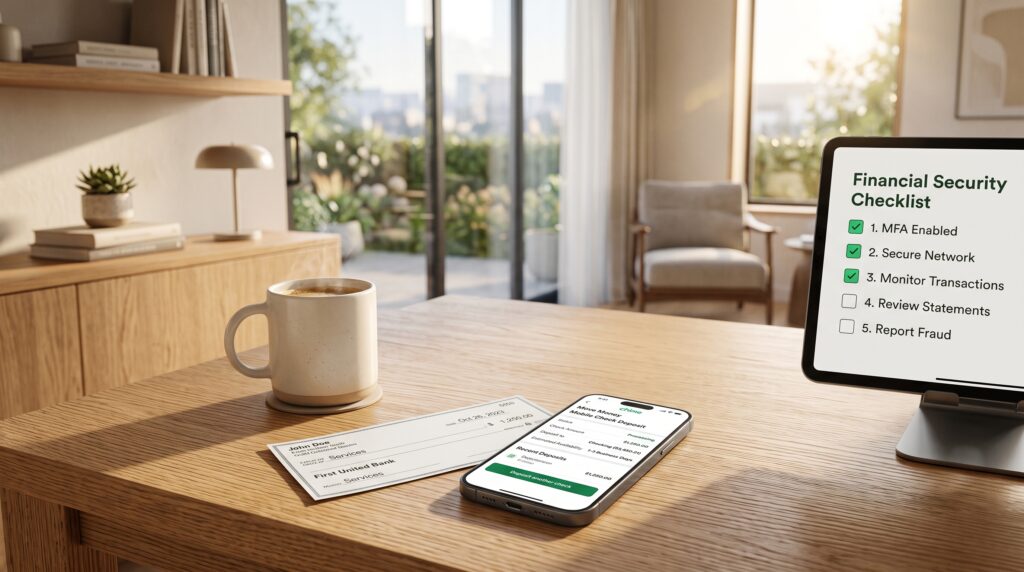
Step 1: Open the Chime App
Launch the Chime app on your smartphone and sign in to your account using your normal login credentials.
If Mobile Check Deposit is available for your account, you’ll be able to access it from the Move Money section. If you don’t see the option, your account may not currently be eligible for mobile deposits.
Step 2: Select Mobile Check Deposit
Once you’re in the Move Money section, tap Mobile Check Deposit to begin the process.
The app will guide you through each step, including selecting the account where you’d like the money deposited and providing instructions for endorsing your check correctly. Take a moment to read each instruction carefully before continuing, as the requirements may vary depending on the type of check you’re depositing.
Step 3: Endorse Your Check Correctly
One of the most common reasons a deposit is delayed is an incorrect endorsement.
Before you cash a check on Chime App, sign the back of your check exactly where required. If Chime instructs you to include additional wording—such as a mobile deposit restriction—write it exactly as shown in the app. Following the endorsement instructions carefully helps prevent unnecessary delays and reduces the likelihood that your deposit will be rejected for manual review.
Types of Checks Commonly Accepted
Many users wonder what kinds of checks they can cash a check on Chime App with.
While eligibility depends on Chime’s current policies, Mobile Check Deposit is commonly used for payroll checks, government checks, cashier’s checks, and certain personal checks. Whether a specific check is accepted depends on factors such as the issuing institution, the condition of the check, and whether it meets Chime’s deposit requirements. If you’re unsure about a particular check, reviewing the information provided within the Chime app before submitting the deposit can help you avoid unnecessary processing delays.
Comparison Table
| Feature | Mobile Check Deposit |
|---|---|
| Deposit from your phone | Yes |
| Visit a bank branch required | No |
| Available to all accounts | No, eligibility applies |
| Requires check endorsement | Yes |
| Photo of front and back | Yes |
Learning how to cash a check on Chime App becomes much easier once you understand the eligibility requirements and prepare your check correctly. In the next section, we’ll cover the remaining steps, processing times, deposit limits, and the most common issues users encounter.
Step 4: Choose the Deposit Account
After endorsing your check, the cash a check on Chime App process will ask where you want the money deposited. Most users will select their Chime Checking Account, but you should always review the available options before continuing.
If you have more than one eligible account, make sure you’ve selected the correct destination. Once the deposit has been submitted, changing the deposit account may not be possible until the transaction has finished processing.
Step 5: Take Clear Photos of Your Check
Taking high-quality photos is one of the most important parts of learning how to cash a check on Chime App. The app relies on these images to verify your check, so blurry or incomplete photos can delay the review process or result in a rejected deposit.
Place the check on a flat, dark surface in a well-lit room, making sure all four corners are visible. Hold your phone steady and avoid shadows, glare, or anything that covers the information printed on the check. Before submitting the images, review them carefully to ensure every detail is easy to read.
Step 6: Review and Submit Your Deposit
Once your photos have been accepted, review the deposit details before tapping the final submit button.
Take a moment to confirm the check amount, the selected deposit account, and any other information shown on the confirmation screen. If everything looks correct, submit the deposit for processing. After you cash a check on Chime App, you’ll receive a confirmation that the deposit has been submitted successfully. This doesn’t necessarily mean the funds are immediately available, as Chime may still need time to review the check.
Step 7: Wait for Processing
After your deposit has been submitted, Chime begins reviewing the check.
Processing times vary depending on the type of check, your account history, and whether additional verification is required. Some deposits are approved relatively quickly, while others may take longer if they require a manual review. Rather than attempting to submit the same check again, monitor the status of your deposit in the Chime app. Resubmitting an already pending check can create unnecessary complications and further delay the process.

Deposit Limits
Before you cash a check on Chime App, it’s worth understanding that Mobile Check Deposit is subject to deposit limits. These limits help protect both Chime and its members from fraud and may vary depending on your account history and eligibility.
If your check exceeds your available deposit limit, you may need to use another deposit method or wait until your limits reset. Checking your current limits within the Chime app before submitting a large check can help prevent unexpected issues.
How Long Does It Take?
One of the most common questions about how to cash a check on Chime App is how long the money takes to become available.
The answer depends on several factors, including the type of check, your account history, and whether Chime needs additional time to review the deposit. While many checks are processed within a reasonable timeframe, others may take longer if further verification is required. If there’s a delay, review your deposit status in the app before assuming there’s a problem. In many cases, the deposit is simply still being processed.
Common Reasons a Deposit Is Delayed
If your cash a check on Chime App deposit hasn’t been approved yet, there are several possible explanations.
A deposit may take longer because the photos weren’t clear, the endorsement wasn’t completed correctly, the check information couldn’t be verified, or the amount requires additional review. Delays can also occur if the check is damaged, incomplete, or doesn’t meet Chime’s Mobile Check Deposit requirements.
Understanding these possibilities can help you identify the issue before contacting customer support.
What to Do If Your Deposit Is Rejected
Having a rejected deposit doesn’t necessarily mean there’s something wrong with your account.
If you’re unable to cash a check on Chime App, start by reviewing the notification provided in the app. It often explains why the deposit wasn’t accepted and whether you can correct the issue and try again. In some cases, taking clearer photos or following the endorsement instructions more carefully is enough to resolve the problem.
If the check still can’t be deposited after correcting the issue, consider contacting Chime Support or asking the check issuer to confirm that the check is valid and has not already been deposited elsewhere.
Comparison Table
| Situation | Recommended Action |
|---|---|
| Blurry check images | Retake photos in better lighting |
| Incorrect endorsement | Follow the endorsement instructions shown in the app |
| Deposit still processing | Wait for the review to finish and monitor the status |
| Deposit rejected | Review the reason and correct the issue if possible |
| Large check amount | Verify your current Mobile Check Deposit limit |
By carefully following each step and preparing your check correctly, you’ll significantly improve your chances of successfully cash a check on Chime App without unnecessary delays or rejected deposits.
Frequently Asked Questions
If you’re planning to cash a check on Chime App, these are some of the questions users ask most often about Mobile Check Deposit, processing times, eligibility, and rejected deposits.
Can everyone use Mobile Check Deposit on Chime?
Not always. While many members can cash a check on Chime App, Mobile Check Deposit isn’t automatically available for every account. Eligibility is determined by Chime and may depend on factors such as your account history, direct deposit activity, and whether your account is in good standing.
What types of checks can I deposit?
Eligible members can typically use Mobile Check Deposit for payroll checks, government checks, cashier’s checks, and many personal checks. However, acceptance depends on Chime’s current policies and whether the check meets its deposit requirements. If you’re unsure, review the deposit instructions in the app before submitting your check.
How long does Mobile Check Deposit take?
The time it takes to cash a check on Chime App varies depending on the type of check, your account history, and whether additional verification is required. Some deposits are processed relatively quickly, while others may require extra review before the funds become available. You can monitor the status of your deposit directly in the Chime app.
Why was my check rejected?
A check may be rejected for several reasons, including an incorrect endorsement, blurry images, incomplete information, an unsupported check type, or a deposit that doesn’t meet Chime’s Mobile Check Deposit requirements. Carefully reviewing the reason shown in the app can help you determine whether the issue can be corrected and the check submitted again.
Can I deposit the same check twice?
No. Once you’ve submitted a check through Mobile Check Deposit, you shouldn’t attempt to deposit it again unless Chime specifically instructs you to do so. Submitting the same check multiple times can delay processing and may create additional issues during the review.
Should I keep the paper check after depositing it?
Yes. After you cash a check on Chime App, it’s a good idea to keep the original paper check in a safe place until the deposit has been fully processed and the funds are available in your account. Once you’ve confirmed that the deposit was completed successfully, you can dispose of the check according to Chime’s recommendations.

Final Thoughts
Learning how to cash a check on Chime App can save you time and eliminate the need to visit a bank branch or check-cashing location. Once your account is eligible for Mobile Check Deposit, the process is straightforward as long as you prepare your check carefully, follow the endorsement instructions, and submit clear photos through the app.
Most deposit issues are caused by small mistakes, such as blurry images, incorrect endorsements, or submitting a check that doesn’t meet Chime’s requirements. Taking a few extra minutes to review everything before submitting your deposit can significantly reduce the chances of delays or rejection.
If your deposit takes longer than expected, don’t panic. Check the status in the Chime app first, as additional review doesn’t necessarily indicate a problem with your account. In many cases, the deposit simply needs more time to complete the verification process.
Key Takeaways
- Eligible members can cash a check on Chime App using Mobile Check Deposit.
- Make sure your account is eligible before attempting a deposit.
- Endorse your check exactly as instructed in the app.
- Take clear photos of both sides of the check in a well-lit area.
- Review your deposit details carefully before submitting.
- Monitor your deposit status in the app rather than submitting the same check again.
- Keeping your account in good standing and following Chime’s instructions can help your deposits process more smoothly in the future.
Leave a Reply