
Seeing a Stripe Account Restricted notification can be stressful, especially if you rely on Stripe to process customer payments. A restricted account may limit your ability to accept payments, transfer funds, or access certain account features until the issue is resolved. Fortunately, most restrictions are temporary and can be removed once the required information is provided.
A Stripe Account Restricted issue usually occurs when Stripe needs additional verification or detects activity that requires further review. Common reasons include incomplete identity verification, missing business information, bank account verification problems, compliance checks, or account activity that requires manual review. Identifying the exact cause is the first step toward restoring full account access.
Instead of repeatedly contacting support or making random account changes, it’s better to review your Stripe Dashboard carefully and complete every outstanding request. Many users restore their accounts by simply providing the requested documents or correcting outdated account information.
In this guide, you’ll learn why a Stripe Account Restricted message appears, what it means for your business, and the most effective steps to remove the restriction and return to processing payments normally.
Quick Answer
If your Stripe Account Restricted notification appears, first review your Stripe Dashboard for required actions, complete any identity or business verification requests, verify your bank account information, and respond to outstanding compliance requests. If everything has already been completed, contact Stripe Support and wait for the review to finish.
Table of Contents
Why Is My Stripe Account Restricted?
Short Answer: A Stripe Account Restricted notification usually appears because Stripe requires additional verification, needs more information about your business, or is reviewing your account for security or compliance purposes.
Stripe regularly reviews accounts to comply with financial regulations and reduce fraud. If important information is missing or unusual account activity is detected, Stripe may temporarily restrict certain features until the review is complete.
Most restrictions can be removed by completing the requested verification steps.
What Does a Restricted Stripe Account Mean?
Short Answer: A Stripe Account Restricted status means your account remains active, but some features may be temporarily limited until Stripe completes its review.
Depending on the reason for the restriction, you may experience limitations when accepting payments, transferring funds, or updating certain account settings. The exact restrictions vary based on your account and the verification requirements.
Checking your Stripe Dashboard is the fastest way to determine what actions are needed.
Before You Request a Review
Before contacting Stripe Support, carefully review your account.
Open your Stripe Dashboard and check for identity verification requests, missing business details, bank account verification tasks, or compliance notifications. Completing these requirements before requesting assistance often speeds up the review process.
Many Stripe Account Restricted issues are resolved without needing direct support once all requested information has been submitted.
Fixes for a Restricted Stripe Account
Fix 1: Review Your Stripe Dashboard Notifications
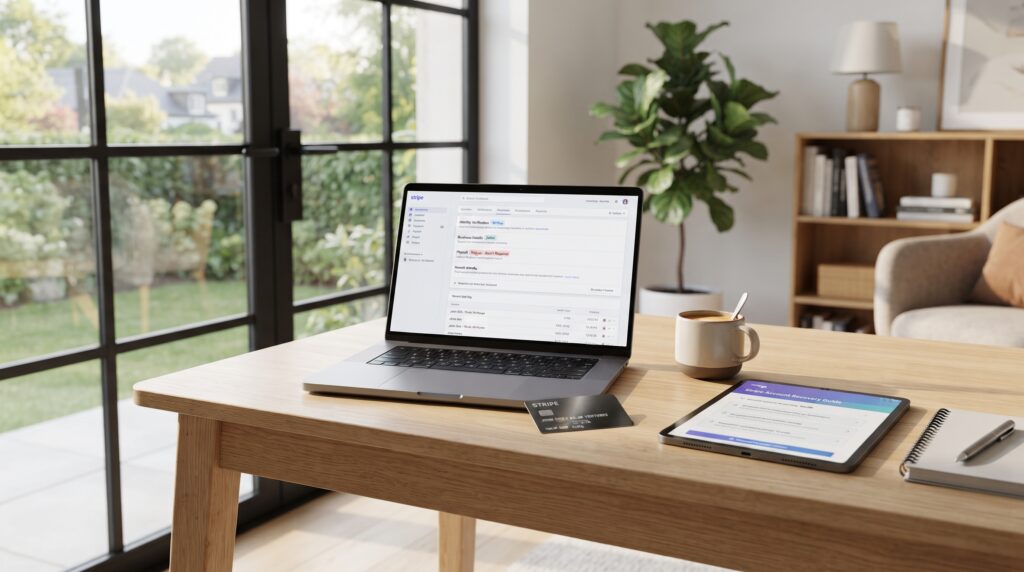
Your Stripe Dashboard contains the most important information about your account status.
Review every notification carefully and complete any outstanding actions shown in the dashboard. Stripe typically explains what information is missing and what needs to be submitted before restrictions can be removed.
Checking your dashboard is the first step toward resolving a Stripe Account Restricted issue.
Fix 2: Complete Identity Verification
Stripe may request proof of identity for the account owner or business representative.
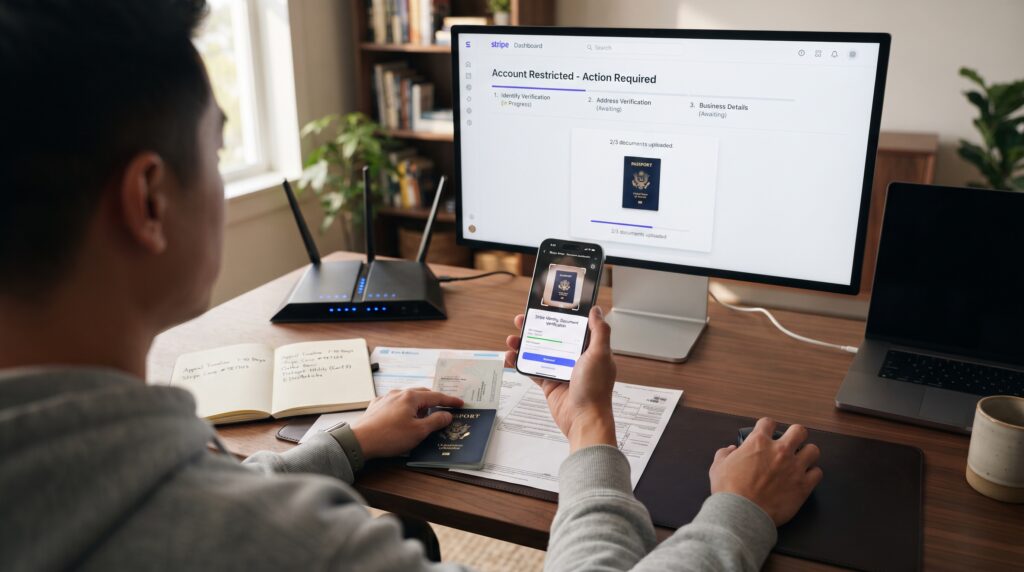
Upload clear, valid identification documents and ensure the information matches your Stripe account details exactly. Delays often occur when submitted documents are incomplete, expired, or difficult to read.
Completing identity verification is one of the most common ways to resolve a Stripe Account Restricted notification.
Fix 3: Submit Any Missing Business Information
Incomplete business information frequently delays account reviews.
Verify your legal business name, business address, tax information, website, and other requested details inside your Stripe Dashboard. Correct any outdated or inaccurate information before submitting your updates.
Providing complete and accurate business information can significantly speed up the resolution of a Stripe Account Restricted issue.
Comparison Table
| Fix | Purpose |
|---|---|
| Review dashboard notifications | Identify required actions |
| Complete identity verification | Verify account ownership |
| Submit business information | Satisfy Stripe verification requirements |
These first three fixes resolve many Stripe Account Restricted issues. In the next section, we’ll cover six additional solutions, explain why some restrictions remain longer than expected, and share important verification tips that many Stripe users overlook.
More Ways to Restore Your Account
Fix 4: Verify Your Bank Account
Your connected bank account must be valid and fully verified.
Review your payout bank details in the Stripe Dashboard and confirm that the account number, routing information, and account holder details are accurate. If Stripe requests additional verification, complete it as soon as possible.
Bank account issues are a common reason a Stripe Account Restricted notification remains active.
Fix 5: Resolve Outstanding Compliance Requests
Stripe must comply with financial regulations in every region where it operates.
If your dashboard shows requests for additional documentation, beneficial ownership information, tax details, or business verification, submit the required documents promptly. Delaying these requests can extend your account restriction.
Completing every compliance request is essential when resolving a Stripe Account Restricted issue.
Fix 6: Review Prohibited Business Activities
Certain products, services, and business models aren’t supported by Stripe.
Review Stripe’s restricted and prohibited business categories to ensure your business activities comply with its policies. If your account information doesn’t accurately describe your business, update it where appropriate.
A policy-related issue can sometimes explain why a Stripe Account Restricted notification appears unexpectedly.
Fix 7: Check for Recent Account Changes
Recent updates to your account can trigger an additional review.
If you’ve recently changed your business information, payout bank, ownership details, website, or processing volume, Stripe may temporarily review your account to verify the new information.
Reviewing recent account changes can help explain a Stripe Account Restricted status.
Fix 8: Contact Stripe Support
If you’ve completed every requested action but your account remains restricted, contact Stripe Support.
Provide your account details, explain the steps you’ve already completed, and ask whether any additional documentation is required. Clear communication helps support representatives review your Stripe Account Restricted issue more efficiently.
Keep copies of any case numbers or emails for future reference.
Fix 9: Wait for Stripe’s Review
Some account reviews require manual verification.
Even after submitting every requested document, Stripe may need additional time to complete its review. Avoid repeatedly submitting the same documents unless you’re asked to do so, as duplicate submissions can sometimes slow the process.
Patience is sometimes necessary while a Stripe Account Restricted review is underway.
Why the Restriction Remains
Short Answer: A Stripe Account Restricted notification may remain active because verification documents are still being reviewed, additional information is required, compliance checks haven’t been completed, or Stripe is performing a manual account review.
If your dashboard no longer shows outstanding actions, it usually means Stripe is processing the information you’ve already submitted. Monitoring your account and responding quickly to any new requests helps avoid unnecessary delays.
Common Problems
Users with a Stripe Account Restricted notification commonly experience these issues:
- Identity verification incomplete.
- Missing business information.
- Bank account not verified.
- Compliance documents pending.
- Recent account changes.
- Manual account review.
- Website information incomplete.
- Tax information missing.
- Delayed document approval.
Reviewing each of these areas can help identify what’s preventing your account from being fully restored.
What Most Stripe Users Miss During Verification
One of the biggest mistakes people make after receiving a Stripe Account Restricted notification is submitting the requested documents without reviewing them carefully. Blurry photos, expired identification, mismatched business names, or outdated addresses often result in additional review requests. Another common oversight is ignoring dashboard notifications after uploading documents. Stripe may request extra information during the review, and responding quickly usually helps prevent unnecessary delays.
Comparison Table
| Problem | Recommended Solution |
|---|---|
| Identity verification pending | Upload valid identification |
| Missing business details | Complete your business profile |
| Bank account issue | Verify your payout account |
| Compliance request | Submit requested documents |
| Manual review | Wait for Stripe’s decision |
| Restriction still active | Contact Stripe Support |
These nine solutions resolve many Stripe Account Restricted issues. In the final section, we’ll answer frequently asked questions, explain how long account restrictions typically last, discuss how to avoid future restrictions, and summarize the most important steps for restoring full account access.
How Long Does a Stripe Restriction Last?
A Stripe Account Restricted review can last anywhere from a short period to several days, depending on the complexity of your account and the verification required. If Stripe requests additional documents, responding quickly and ensuring every submission is accurate helps reduce unnecessary delays. Continue monitoring your Stripe Dashboard and email notifications during the review so you don’t miss requests for more information that could extend the restriction.
How to Avoid Future Stripe Restrictions
The best way to prevent another Stripe Account Restricted notification is to keep your business information current and respond promptly to verification requests. Update your legal business details whenever they change, verify new payout bank accounts immediately, and ensure your website accurately represents your products or services. Regularly checking your Stripe Dashboard for compliance notifications can help you resolve small issues before they result in account restrictions.
Signs Your Account May Be Restricted Again
Certain warning signs may appear before another Stripe Account Restricted notification is issued. Requests for additional identity verification, repeated compliance reminders, payout delays, notifications about missing business information, or unusual account activity reviews may all indicate that Stripe needs more information. Addressing these alerts as soon as they appear helps reduce the likelihood of future account limitations.
Tips for Speeding Up Stripe Verification
If your Stripe Account Restricted notification is still active, there are several ways to help the verification process move more smoothly. Begin by reviewing every notification in your Stripe Dashboard and responding to requests as quickly as possible. When uploading documents, ensure they’re clear, current, and match the information on your Stripe account exactly. Mismatched names, outdated business addresses, or blurry identification documents are common reasons reviews take longer than expected.
It’s also helpful to verify that your business website includes essential information such as contact details, refund policies, terms of service, and accurate product descriptions. Stripe may review your online presence as part of its compliance process. Finally, avoid making unnecessary changes to your account while it’s under review. Keeping your information consistent allows Stripe to complete its verification more efficiently and increases the chances of removing the Stripe Account Restricted status sooner.
Common Verification Mistakes
Many Stripe Account Restricted reviews take longer because users unknowingly submit incomplete or inconsistent information. A business name that doesn’t match official registration records, an incorrect payout account, or expired identification documents can all delay the process. Before submitting anything, review every detail carefully to ensure it matches your legal records.
When to Follow Up With Stripe Support
If you’ve completed every required action and haven’t received any updates after a reasonable period, it’s appropriate to contact Stripe Support. Reference your existing case, explain which documents you’ve already submitted, and ask whether additional information is required. A clear, organized follow-up can help move your Stripe Account Restricted review forward without creating duplicate requests.
Keep Your Account Ready for Future Reviews
Even after your Stripe Account Restricted status is removed, it’s important to keep your account information accurate and up to date. Update your business details whenever they change, verify new bank accounts promptly, and regularly review your Stripe Dashboard for notifications or compliance requests. If your business model, products, or website changes significantly, make sure your Stripe account reflects those updates. Maintaining complete and consistent information reduces the likelihood of future restrictions and helps ensure your payment processing continues without unexpected interruptions.

Frequently Asked Questions
How long does a Stripe restriction last?
The length of a Stripe Account Restricted review depends on the reason for the restriction and how quickly you provide the requested information. Some reviews are completed within a short time, while others take longer if additional verification or manual checks are required.
Can I still receive payments with a restricted Stripe account?
It depends on the type of restriction. Some Stripe Account Restricted notifications only limit specific features, while others temporarily prevent payment processing or payouts until the review is complete.
Why did Stripe suddenly restrict my account?
Stripe may temporarily restrict an account after detecting unusual activity, missing verification documents, incomplete business information, recent account changes, or compliance requirements that haven’t yet been satisfied.
Should I upload documents again?
Only upload documents again if Stripe specifically requests updated information or rejects your previous submission. Sending duplicate documents without being asked usually doesn’t speed up the review process.
Can I contact Stripe Support during the review?
Yes. If you have questions about your Stripe Account Restricted notification or believe you’ve completed every required action, you can contact Stripe Support to request an update on your account review.
Will my account automatically return to normal?
If Stripe confirms that all verification and compliance requirements have been satisfied, account restrictions are generally removed without requiring additional action from you.
Final Thoughts
A Stripe Account Restricted notification doesn’t necessarily mean you’ve done something wrong. In many cases, Stripe simply needs additional information to verify your identity, business, or payout details before restoring full account functionality. Completing every requested action carefully is usually the fastest path to resolving the restriction.
Instead of making repeated changes or submitting duplicate documents, focus on reviewing your Stripe Dashboard, providing accurate information, and responding promptly to any follow-up requests. If the restriction continues after you’ve completed every requirement, Stripe Support can help clarify what additional steps, if any, are still needed.
Understanding why a Stripe Account Restricted notification appears allows you to resolve the issue more efficiently and reduce the chances of future interruptions to your payment processing.
Key Takeaways
- Stripe Account Restricted notifications are often related to verification or compliance.
- Review your Stripe Dashboard before contacting support.
- Complete identity and business verification promptly.
- Verify your payout bank account information.
- Respond quickly to compliance requests.
- Avoid submitting duplicate documents unless requested.
- Contact Stripe Support if the restriction remains after all required actions are completed.
Leave a Reply