
How to Pay with Cash App Without a Card on Android
Many Android users wonder whether it’s possible to pay with Cash App without a card on Android. Whether you’ve misplaced your Cash App Card, haven’t ordered one yet, or simply prefer digital payments, you may still have several ways to use your Cash App balance without carrying a physical card.
The good news is that, depending on the merchant and payment method, you can often pay with Cash App without a card on Android using your Cash App balance, linked bank account, or supported digital payment options. While some transactions require the Cash App Card, many others can be completed directly through the Cash App.
This guide explains everything you need to know about how to pay with Cash App without a card on Android, including available payment methods, setup instructions, common limitations, troubleshooting tips, and best practices for secure transactions.
Table of Contents
Even without the physical card, many of these features remain fully available.
Ways to Pay with Cash App Without a Card on Android
If you’re trying to pay with Cash App without a card on Android, there are several payment methods you can use depending on the situation.
1. Pay Another Cash App User
The easiest way to pay with Cash App without a card on Android is by sending money directly through the app.
Simply enter the recipient’s:
- $Cashtag
- Phone number
- Email address
Confirm the amount, review the payment, and send it instantly.
2. Use Your Cash App Balance
If you already have money available in your Cash App account, that balance can often be used for eligible transactions without requiring your physical Cash App Card.
Keeping funds in your balance allows for faster payments and eliminates the need to transfer money from your bank before every transaction.
3. Pay Participating Merchants
Some online businesses and service providers support Cash App as a payment method.
When available, simply select Cash App during checkout, authorize the payment through the app, and complete the purchase using your available balance.
4. Transfer Money to Your Bank Account
If a merchant doesn’t accept Cash App directly, another option is transferring your Cash App balance to your linked bank account and using your bank’s preferred payment method.
Although this adds an extra step, it still allows you to access your Cash App funds without using the physical Cash App Card.
5. Use Linked Payment Methods
Depending on your account setup, you can pay with Cash App without a card on Android by using a linked bank account or debit card for eligible transactions. This allows you to complete payments even if you don’t have your physical Cash App Card with you.
Before making a payment, make sure your preferred funding source is linked and up to date in the app. Having a linked payment method provides extra flexibility and can help ensure your transactions go through smoothly when your Cash App balance isn’t enough.

How to Pay With Cash App Without a Card on Android
If you want to pay with Cash App without a card on Android, the process is simple and doesn’t require a physical Cash App Card. As long as your account is active and funded through your Cash App balance or an eligible linked bank account, you can complete many transactions directly from the app.
Whether you’re sending money to friends, paying a participating merchant, or using Cash App Pay for eligible online purchases, everything can be managed from your Android device. Before getting started, make sure your account is verified, your preferred payment method is available, and you have enough funds to complete the transaction. This helps ensure you can pay with Cash App without a card on Android quickly and without unnecessary payment issues.
Step 1: Open Cash App
Launch Cash App on your Android device and sign in to your account. If you haven’t already, make sure your account is verified and updated to the latest version of the app.
Step 2: Check Your Available Balance
Before you pay with Cash App without a card on Android, verify that you have enough money in your Cash App balance or a linked funding source to cover the payment. This helps prevent failed transactions.
Step 3: Choose the Payment Option
Select the type of payment you want to make. Depending on your needs, you can choose to:
- Send money to another Cash App user
- Pay a participating merchant
- Transfer funds
- Use another supported payment option available in the app
Step 4: Enter the Payment Details
Carefully review all the payment information before continuing, including:
- Recipient information
- Payment amount
- Selected funding source
- Transaction details or payment note
Taking a moment to confirm these details can help you avoid sending money to the wrong person.
Step 5: Confirm the Transaction
Tap Pay or Send to complete the transaction. Most users can pay with Cash App without a card on Android in just a few seconds, although processing times may vary depending on the payment type and funding source. Once the payment is complete, you’ll receive a confirmation within the app.
Benefits of Paying Without a Physical Cash App Card
Many users prefer to pay with Cash App without a card on Android because it offers several advantages.
Some of the biggest benefits include:
- No need to carry a wallet.
- Faster peer-to-peer payments.
- Convenient mobile transactions.
- Secure payment authorization.
- Easy account management.
- Instant payment confirmations.
- Access from almost anywhere.
These features make Cash App a practical solution for many everyday payments.
Where Can You Pay with Cash App Without a Card on Android?
One of the biggest questions people have after learning they can pay with Cash App without a card on Android is where those payments are actually accepted. The answer depends on the type of transaction you’re making.
For person-to-person payments, Cash App makes the process incredibly simple. As long as the recipient has a Cash App account, you can send money directly using their $Cashtag, phone number, or email address. This is one of the fastest and most common ways to pay with Cash App without a card on Android because it doesn’t require a physical debit card or cash.
For online shopping, acceptance depends on the retailer. Some merchants allow customers to check out using Cash App or integrate Cash App Pay into their payment options. In these cases, you simply select Cash App during checkout, authorize the payment in the app, and the purchase is completed using your available Cash App balance or another eligible funding source.
You can also use your Cash App balance to pay for services provided by businesses that support Cash App payments. This may include freelancers, small businesses, local service providers, or individuals who accept Cash App as a payment method.
However, it’s important to remember that many physical retail stores still require a debit or credit card unless they specifically support Cash App Pay or another compatible payment option. If the merchant doesn’t support Cash App directly, you may need to transfer your balance to your linked bank account before completing the purchase.
Can You Use Cash App Pay on Android?
Yes. Cash App Pay is designed to let eligible users make purchases without using the physical Cash App Card. If a merchant supports Cash App Pay, you can often pay with Cash App without a card on Android by approving the transaction directly in the Cash App.
Cash App Pay is becoming more widely available across online stores and participating businesses because it offers a fast and secure checkout experience. Instead of manually entering card details, you’ll simply confirm the payment within the app.
The exact checkout experience varies depending on the website or app, but the process is usually straightforward and only takes a few seconds.
Common Reasons Your Payment May Fail
Even if you’re trying to pay with Cash App without a card on Android, payments don’t always go through successfully. Understanding the most common reasons can help you fix the problem quickly.
Some common causes include:
- Insufficient Cash App balance
- Poor internet connection
- Outdated Cash App version
- Unverified Cash App account
- Merchant doesn’t support Cash App
- Security verification required
- Temporary Cash App service interruption
- Incorrect recipient information
- Payment limits have been reached
Most of these issues can be resolved by reviewing your account settings and trying the transaction again.
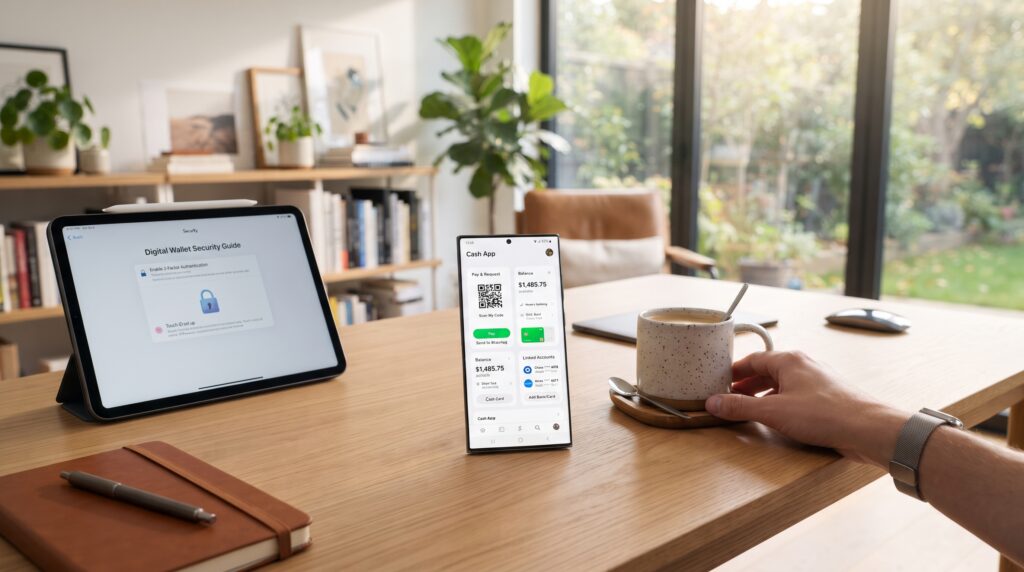
How to Fix Cash App Payment Problems
If you can’t pay with Cash App without a card on Android, don’t worry. Most payment issues are caused by account settings, connectivity problems, or insufficient funds, and they can usually be resolved in a few minutes. Before contacting Cash App support, try these troubleshooting steps.
Check Your Balance
Open Cash App and make sure your available balance is enough to cover the full payment amount. If you’re using a linked bank account, confirm that it has sufficient funds as well.
Verify Your Account
Some features are only available to verified users. If Cash App asks you to confirm your identity, complete the verification process as soon as possible. This can help restore your ability to pay with Cash App without a card on Android.
Update the App
Using an outdated version of Cash App can lead to payment errors or missing features. Visit the Google Play Store and install the latest update before trying your payment again.
Check Your Internet Connection
Cash App needs a reliable internet connection to process transactions. If your connection is unstable, switch between Wi-Fi and mobile data or reconnect to your network before retrying the payment.
Confirm Merchant Support
Not every business accepts Cash App or Cash App Pay. If you’re trying to pay with Cash App without a card on Android, verify that the merchant supports this payment method. Otherwise, you’ll need to choose another payment option.
Retry the Transaction
Temporary server issues or network delays can sometimes prevent payments from going through. Wait a few minutes, then try the transaction again. If the issue continues, check the app for any service alerts or contact Cash App support for additional help.
Cash App Card vs. Paying Without a Card
Many users wonder whether it’s better to carry the Cash App Card or simply pay with Cash App without a card on Android whenever possible.
Here’s a quick comparison:
| Feature | Cash App Card | Cash App Without Card |
|---|---|---|
| In-store purchases | Yes | Limited to supported merchants |
| Online purchases | Yes | Supported by participating merchants |
| ATM withdrawals | Yes | No |
| Send money to users | Yes | Yes |
| Cash App Pay | Yes | Yes |
| Requires physical card | Yes | No |
If you regularly shop in physical stores or withdraw cash from ATMs, the Cash App Card provides greater flexibility. However, if most of your transactions are digital, learning how to pay with Cash App without a card on Android may be all you need.
Security Tips
Whenever you pay with Cash App without a card on Android, keeping your account secure should be a priority.
Follow these best practices:
- Enable two-factor authentication if available.
- Use a strong device passcode.
- Never share your Cash App PIN.
- Keep your Android device updated.
- Download Cash App only from the Google Play Store.
- Monitor your transaction history regularly.
- Avoid sending money to unknown individuals.
- Be cautious of phishing messages and fake customer support accounts.
Practicing good account security can help protect both your money and personal information.
Frequently Asked Questions
Can I pay with Cash App without a Cash App Card?
Yes. You can pay with Cash App without a card on Android by sending money to another Cash App user, using Cash App Pay at participating merchants, or paying through supported online checkout options.
Can I shop online without the Cash App Card?
Yes. Some online stores accept Cash App Pay or allow eligible payments through Cash App without requiring the physical card.
Can I pay in stores without my Cash App Card?
Only if the merchant supports Cash App Pay or another compatible payment method. Otherwise, you’ll generally need your Cash App Card or another accepted payment option.
Does Cash App Pay work on Android?
Yes. Cash App Pay is available for eligible Android users and allows purchases at participating merchants without using the physical Cash App Card.
Why won’t my Cash App payment go through?
Payment failures may be caused by insufficient funds, account verification issues, merchant restrictions, internet problems, or temporary Cash App service interruptions.
Is it safe to pay with Cash App without a card?
Yes. Cash App uses encryption, account authentication, and fraud monitoring to help protect user transactions. Following basic security practices further reduces the risk of unauthorized activity.
Final Thoughts
Learning how to pay with Cash App without a card on Android gives you more flexibility when making digital payments. Whether you’re sending money to friends, paying participating merchants through Cash App Pay, or using your available Cash App balance, there are several convenient ways to complete transactions without carrying the physical Cash App Card.
Before making a payment, always verify your balance, ensure your account is fully set up, and confirm that the merchant accepts Cash App or Cash App Pay. Keeping the app updated and following recommended security practices will also help ensure a smooth payment experience.
As more businesses adopt digital payment solutions, it will become even easier to pay with Cash App without a card on Android for online purchases, peer-to-peer transfers, and other everyday transactions.
Key Takeaways
- You can pay with Cash App without a card on Android using your Cash App balance or Cash App Pay for eligible transactions.
- Sending money to another Cash App user doesn’t require a physical Cash App Card.
- Cash App Pay is accepted by a growing number of online merchants, although availability varies by business.
- Some in-store purchases may still require a Cash App Card if the retailer doesn’t support Cash App Pay.
- Keep your account verified, maintain a sufficient balance, and use a stable internet connection for smoother payments.
- Following basic security practices, such as enabling account protection and verifying payment details, helps keep your Cash App account secure.
Leave a Reply