
How to Use Shop App Cash
If you’re wondering how to use Shop App Cash, you’re not alone. Shop Cash is a rewards program available through the Shop app that lets eligible users earn rewards on qualifying purchases and redeem those rewards toward future orders. It’s designed to help shoppers save money while using Shop Pay at participating stores.
Unlike traditional cashback programs that deposit money into your bank account, Shop Cash can only be redeemed on eligible purchases made through the Shop app, the Shop website, or certain Shop Pay checkouts that originate from Shop. It isn’t transferable or redeemable for cash.
In this complete guide, you’ll learn how to use Shop App Cash, how to earn it, where you can spend it, eligibility requirements, common issues, and tips for getting the most value from your rewards.
Table of Contents
Quick Answer
If you’re asking how to use Shop App Cash, simply shop through the Shop app or Shop website, add eligible products to your cart, and proceed to checkout. If your purchase qualifies, Shop Cash will appear as an available payment option that you can apply before completing your order.
What Is Shop App Cash?
Before learning how to use Shop App Cash, it’s helpful to understand what it is.
Shop Cash is a rewards program available to eligible Shop users in the United States and Canada. Customers can earn Shop Cash during qualifying promotions when they pay with Shop Pay or Shop Pay Installments on eligible purchases. The rewards can later be redeemed toward future qualifying purchases through Shop.
Unlike traditional cashback programs:
- Shop Cash isn’t deposited into your bank account.
- It can’t be transferred to another person.
- It can’t be exchanged for cash.
- It must be used on eligible Shop purchases.
- It may expire if not redeemed before its expiration date.
How to Use Shop App Cash
Understanding how to use Shop App Cash is fairly simple once you’ve earned a balance.
Follow these steps:
Step 1: Open the Shop App
Launch the Shop app and sign in using the same account that earned your Shop Cash.
Step 2: Browse Eligible Stores
Search for products from participating merchants that support Shop Pay and eligible Shop Cash redemption.
Step 3: Add Products to Your Cart
Choose the items you’d like to purchase and proceed to checkout.
Step 4: Review Your Payment Options
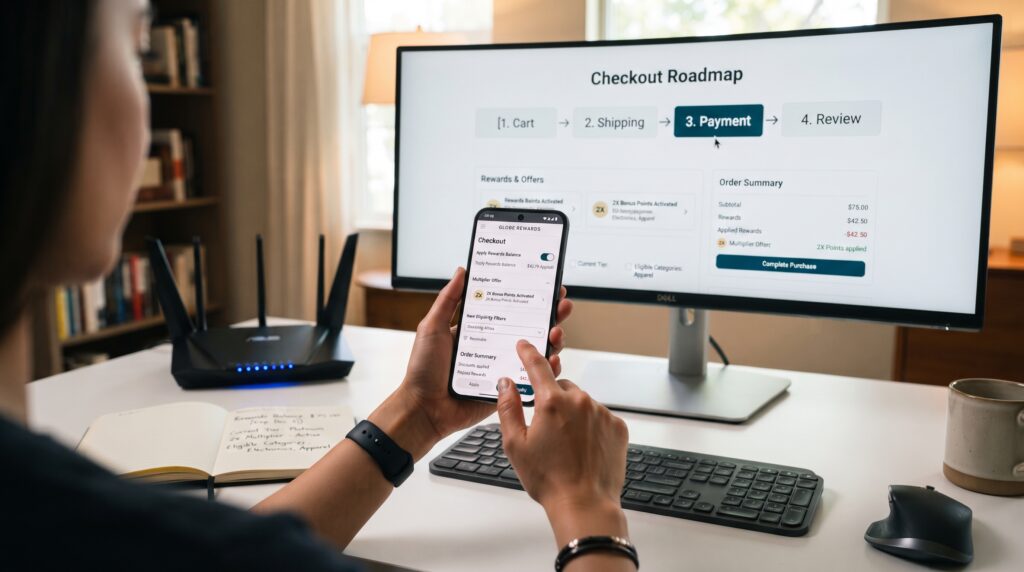
If your purchase qualifies, Shop Cash will automatically appear as one of your available payment methods during checkout.
Step 5: Apply Your Shop Cash
Select your available Shop Cash balance before confirming your order.
The value of your Shop Cash will be applied first, and you’ll pay any remaining balance using your selected payment method.
How to Earn Shop Cash
Many users searching how to use Shop App Cash first need to know how rewards are earned.
Generally, Shop Cash is earned when eligible promotional offers apply and qualifying purchases are made using Shop Pay or Shop Pay Installments within the Shop app or Shop website. Not every purchase earns rewards, and eligibility depends on the merchant and promotion.
Some purchases typically do not qualify, including:
- Gift cards
- Certain digital products
- Some subscription renewals
- Orders that don’t meet promotional requirements
Where Can You Use Shop App Cash?
One of the biggest misconceptions about how to use Shop App Cash is that it works everywhere.
In reality, Shop Cash can only be redeemed on eligible purchases through:
- The Shop app
- The Shop website
- Eligible Shop Pay checkouts that originate from Shop
It isn’t available for every merchant or every order, even if the merchant uses Shopify.
Requirements for Using Shop Cash
To redeem Shop Cash, your purchase generally must meet certain eligibility requirements.
These often include:
- Shopping through the Shop app or Shop website.
- Purchasing from an eligible merchant.
- Using Shop Pay.
- Ordering from participating stores in the United States or Canada.
- Meeting any applicable promotional conditions.
Comparison Table
| Feature | Shop App Cash |
|---|---|
| Rewards Program | Yes |
| Cash Withdrawal | No |
| Redeem at Eligible Checkout | Yes |
| Transfer to Another User | No |
| Bank Deposit | No |
| Earn Through Eligible Promotions | Yes |
| May Expire | Yes |
Benefits of Using Shop App Cash
There are many reasons why shoppers want to learn how to use Shop App Cash. Besides making future purchases more affordable, Shop Cash is simple to redeem and rewards customers who regularly shop through eligible merchants using Shop Pay.
One of the biggest advantages is savings. Every time you earn Shop Cash through an eligible promotion, you can apply those rewards toward future qualifying purchases. This reduces your out-of-pocket costs without requiring coupons or promo codes.
Another benefit is convenience. Since Shop Cash is connected to your Shop account, there’s no need to carry physical reward cards or remember discount codes. If your purchase qualifies, your available Shop Cash balance appears automatically during checkout.
Many users also appreciate how easy it is to manage their rewards. The Shop app allows you to view your Shop Cash balance, eligible offers, and available promotions all in one place, making it easier to decide when to redeem your rewards.
Learning how to use Shop App Cash effectively can help you maximize the value of every eligible purchase while simplifying the checkout experience.
Advantages and Disadvantages of Shop App Cash
Like any rewards program, Shop Cash has both benefits and limitations.
Advantages
- Easy to earn through eligible promotions.
- Simple redemption process.
- Automatically appears during eligible checkout.
- No separate rewards card required.
- Helps reduce future purchase costs.
- Integrated directly into the Shop app.
- Works with many participating merchants.
Disadvantages
- Cannot be redeemed for cash.
- Cannot be transferred to another user.
- Only works at eligible merchants.
- Some purchases do not qualify.
- Rewards may expire if not used before the expiration date.
- Availability depends on promotional offers.
Understanding these advantages and limitations helps you get the most from Shop Cash.
Why Isn’t My Shop Cash Showing?
One of the most common questions after learning how to use Shop App Cash is why the reward balance doesn’t appear during checkout.
There are several possible reasons.
The Merchant Doesn’t Participate
Not every merchant accepts Shop Cash. Even if a store uses Shop Pay, it may not participate in the Shop Cash rewards program.
The Purchase Isn’t Eligible
Some products and transactions aren’t eligible for Shop Cash redemption, including certain gift cards, digital products, subscriptions, or promotional items.
You’re Not Signed Into the Correct Account
Shop Cash is linked to the Shop account that earned the rewards. Signing into a different account means your balance won’t appear.
The Rewards Have Expired
Some Shop Cash rewards include expiration dates. If your rewards have expired, they can no longer be redeemed.
Promotion Requirements Weren’t Met
Certain promotions require minimum purchase amounts or specific shopping conditions before Shop Cash becomes available.
Tips to Maximize Your Shop Cash
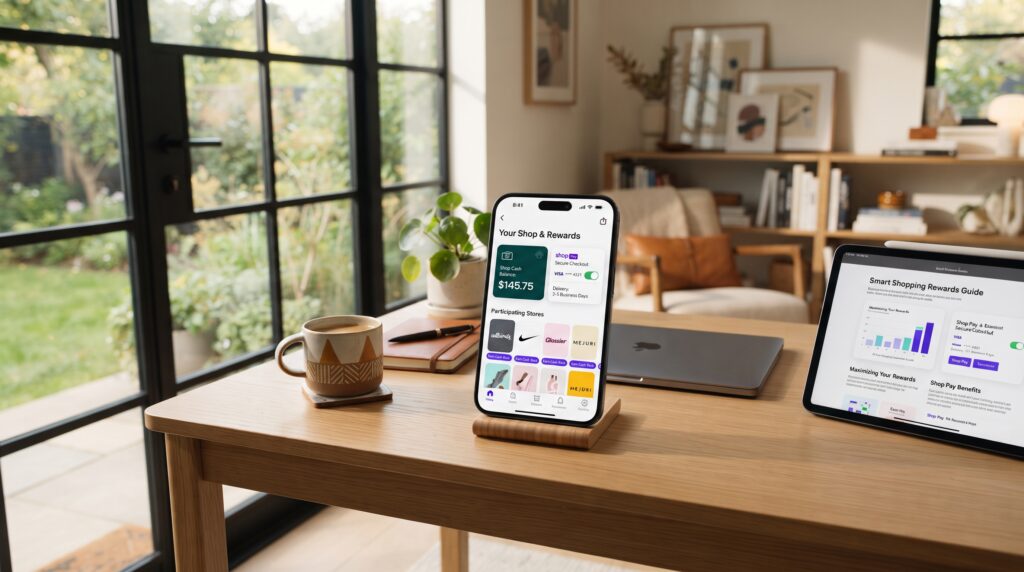
If you want to make the most of how to use Shop App Cash, consider these practical tips.
Check Promotions Regularly
Shop frequently offers limited-time promotions that allow customers to earn additional Shop Cash. Checking the app regularly helps you avoid missing valuable opportunities.
Use Shop Pay Whenever Possible
Many Shop Cash promotions require purchases through Shop Pay, making it the preferred payment method when earning rewards.
Redeem Before Expiration
Don’t let your rewards expire. Review your Shop Cash balance periodically and use available rewards before their expiration dates.
Shop with Participating Merchants
Not every store supports Shop Cash. Shopping with participating merchants ensures you’ll have more opportunities to earn and redeem rewards.
Combine with Store Discounts
When available, combining Shop Cash with store promotions or seasonal discounts can significantly increase your overall savings.
Common Mistakes to Avoid
Even experienced users occasionally make mistakes when learning how to use Shop App Cash.
Some common errors include:
- Assuming every merchant accepts Shop Cash.
- Waiting until rewards expire.
- Shopping without signing into the correct Shop account.
- Forgetting to use Shop Pay during qualifying promotions.
- Expecting Shop Cash to be redeemable for cash.
- Ignoring promotion requirements before making a purchase.
Avoiding these mistakes helps ensure you receive the maximum benefit from the rewards program.
Comparison Table
| Feature | Shop App Cash | Traditional Cashback |
|---|---|---|
| Redeem for Cash | No | Usually Yes |
| Redeem on Eligible Purchases | Yes | Sometimes |
| Transferable | No | Depends on Program |
| Bank Deposit | No | Often Yes |
| Requires Eligible Merchants | Yes | Usually No |
| Promotional Rewards | Yes | Sometimes |
Although Shop Cash works differently from traditional cashback programs, it provides valuable savings for customers who regularly shop with participating merchants.
Is Shop App Cash Worth It?
After learning how to use Shop App Cash, many shoppers wonder whether the rewards program is actually worth using. For people who frequently shop through the Shop app or Shop Pay, the answer is often yes.
Shop App Cash is free to participate in, and earning rewards doesn’t require a separate loyalty card or paid membership. If you already purchase from participating merchants, using Shop Cash can reduce the cost of future orders without adding extra steps during checkout.
However, Shop Cash isn’t designed to replace traditional cashback credit cards or bank rewards. Since it can only be redeemed on eligible purchases through participating merchants, its value depends on where and how often you shop.
If you regularly buy products from stores that support Shop Cash promotions, the program can provide meaningful savings over time.
How to Check Your Shop Cash Balance
An important part of understanding how to use Shop App Cash is knowing where to find your available balance.
Checking your Shop Cash is simple:
- Open the Shop app.
- Sign in to your account.
- Navigate to your profile or rewards section.
- View your available Shop Cash balance.
- Check whether any rewards have expiration dates.
Reviewing your balance regularly helps you avoid letting rewards expire before you have the opportunity to use them.
Can You Combine Shop Cash with Other Discounts?
One of the best features of learning how to use Shop App Cash is that, in some cases, you may be able to combine your rewards with other savings opportunities.
Depending on the participating merchant, you may be able to use Shop Cash alongside:
- Store sales
- Promotional discounts
- Coupon codes
- Seasonal offers
- Free shipping promotions
- Shop Pay promotions
Not every merchant allows every combination, so it’s always worth reviewing the checkout page before placing your order.
Common Myths About Shop App Cash
Many people misunderstand how Shop Cash works. Here are some of the most common myths.
| Myth | Reality |
|---|---|
| Shop Cash is real cash. | Shop Cash is a promotional reward that can only be redeemed on eligible purchases. |
| Every Shopify store accepts Shop Cash. | Only participating merchants support Shop Cash redemption. |
| Shop Cash never expires. | Some Shop Cash rewards include expiration dates. |
| You can transfer Shop Cash to another account. | Shop Cash is linked to your account and cannot be transferred. |
| Every purchase earns Shop Cash. | Rewards are generally earned only during eligible promotions and qualifying purchases. |
Understanding these facts will help you use the rewards program more effectively.

Frequently Asked Questions
How do you use Shop App Cash?
If you’re wondering how to use Shop App Cash, simply shop through the Shop app, choose an eligible participating merchant, add qualifying products to your cart, and proceed to checkout. If your purchase qualifies, you’ll have the option to apply your available Shop Cash before completing the order.
Can Shop App Cash Be Transferred?
No. How to use Shop App Cash starts with understanding that Shop Cash is tied to your individual Shop account and cannot be transferred to another user.
Can I Withdraw Shop Cash to My Bank Account?
No. If you’re learning how to use Shop App Cash, keep in mind that Shop Cash isn’t redeemable for cash and cannot be deposited into a bank account.
Why Can’t I Use My Shop Cash?
There are several possible reasons, including shopping with a non-participating merchant, purchasing ineligible products, using the wrong Shop account, or attempting to redeem expired rewards. Understanding these limitations is an important part of how to use Shop App Cash successfully.
Does Shop Cash Expire?
Yes. Some Shop Cash rewards include expiration dates. If you want to know how to use Shop App Cash effectively, check your balance regularly and redeem eligible rewards before they expire.
Is Shop Cash Free?
Yes. There is no fee to participate in the Shop Cash rewards program. One of the best things about how to use Shop App Cash is that eligible users earn rewards through qualifying promotions and purchases at no additional cost.
Can I Earn Shop Cash on Every Purchase?
Not always. Rewards are generally available only during eligible promotions and on qualifying purchases made with participating merchants. Knowing which purchases qualify is essential when learning how to use Shop App Cash.
Is Shop App Cash Worth Using?
For customers who frequently shop through participating merchants, Shop Cash can provide valuable savings on future purchases without requiring a paid membership or separate rewards card. Once you understand how to use Shop App Cash, it’s an easy way to maximize discounts and lower your overall shopping costs.
Final Thoughts
If you’ve been wondering how to use Shop App Cash, the process is straightforward once you understand how the rewards program works. Shop Cash allows eligible users to earn promotional rewards on qualifying purchases and redeem those rewards toward future orders with participating merchants.
The key to getting the most value from Shop Cash is shopping through eligible stores, using Shop Pay when required, monitoring your reward balance, and redeeming your rewards before they expire. Although Shop Cash cannot be exchanged for real money or transferred to another account, it remains a useful way to reduce the cost of future purchases.
As more merchants participate in Shop’s rewards ecosystem, understanding how to use Shop App Cash can help you save money every time you shop through the platform. By following the tips in this guide, you’ll be able to earn, manage, and redeem your Shop Cash with confidence.
Key Takeaways
- How to use Shop App Cash starts with earning rewards through eligible Shop promotions and purchases.
- Shop Cash can only be redeemed with participating merchants through eligible Shop checkouts.
- Shop Cash cannot be transferred, withdrawn, or exchanged for cash.
- Always check your Shop Cash balance and expiration dates before shopping.
- Not every merchant or product qualifies for Shop Cash redemption.
- Combining Shop Cash with eligible store promotions can help maximize your savings.
- Reading each promotion’s terms helps you earn and redeem Shop Cash more effectively.
Leave a Reply