
Table of Contents
How to Cancel a Cash App Payment
Have you accidentally sent money to the wrong person? Maybe you entered the wrong amount or paid someone before realizing it was a mistake. If so, you’re probably wondering how to cancel Cash App payment transactions before the money reaches the recipient.
The good news is that, in some situations, you can cancel Cash App payment requests quickly. However, it’s important to understand that Cash App processes most payments instantly. Once a payment has been completed, you usually can’t simply press a cancel button. Instead, you’ll need to explore options like canceling pending payments, requesting refunds, or contacting Cash App Support.
In this complete guide, you’ll learn everything you need to know about how to cancel Cash App payment transactions, when cancellation is possible, what to do if your payment has already gone through, and how to protect yourself from future payment mistakes.
Whether you’re a new Cash App user or someone who uses the app daily, this guide will help you make informed decisions and recover from common payment errors.
Quick Answer
Can you cancel Cash App payment transactions?
Yes—but only if the payment is still pending. Once a payment has been completed and accepted by the recipient, you generally cannot cancel Cash App payment directly. Instead, you’ll need to request a refund or contact Cash App Support if fraud or unauthorized activity is involved.
What Does It Mean to Cancel a Cash App Payment?
To cancel Cash App payment means stopping a money transfer before the recipient receives the funds.
Cash App is designed for fast peer-to-peer payments. Most transfers happen within seconds, making it one of the quickest payment platforms available. Because of this speed, cancellation isn’t always possible.
Instead, Cash App offers several possible solutions depending on the payment status:
| Payment Status | Can You Cancel? | Best Option |
|---|---|---|
| Pending | Yes | Cancel immediately |
| Completed | No | Request a refund |
| Failed | No need | Retry payment |
| Expired | Automatically canceled | Send again if needed |
Understanding these payment statuses is the first step before attempting to cancel Cash App payment transactions.
Can You Cancel a Cash App Payment?
The short answer is sometimes. Whether you can cancel Cash App payment depends entirely on the status of the transaction. Cash App is designed to process payments almost instantly, so once a payment has been completed and the recipient has accepted the funds, it generally cannot be reversed automatically. However, you may still be able to cancel Cash App payment if the transaction is still pending, the recipient has not yet accepted the payment, a security review is delaying the transfer, or the payment has not been fully processed. If the money has already been delivered to the recipient, cancellation is usually no longer possible, and you’ll need to explore other options such as requesting a refund.
How Cash App Processes Payments
Understanding how Cash App handles payments can help you determine whether it’s possible to cancel Cash App payment requests. The payment process is designed to be fast and straightforward. After you enter the payment amount, confirm the recipient, and tap the Pay button, Cash App immediately begins processing the transaction. In most cases, the recipient receives the money within seconds, and the transaction is then marked as Completed in your activity history. Because this entire process happens so quickly, it’s essential to review the recipient’s information and payment amount carefully before confirming the transaction. Taking a few extra seconds to double-check the details can help prevent costly mistakes that may not be reversible.
When Can You Cancel a Cash App Payment?
Although most Cash App payments are completed almost instantly, there are a few situations where you may successfully cancel Cash App payment transactions. The most common scenario is when the payment remains in a Pending status. A payment may stay pending for several reasons, including internet connection issues, temporary security verification, bank processing delays, recipient account verification, or other temporary system problems. While the payment is still pending, Cash App may display a Cancel option, allowing you to stop the transaction before it is finalized.
Another situation occurs when Cash App temporarily pauses a payment for additional account verification. To protect users from fraud and unauthorized activity, the platform may review certain transactions before completing them. During this verification period, the payment may remain pending for several minutes or, in some cases, a few hours. As long as the transaction has not been fully processed, you may still have the opportunity to cancel Cash App payment before the funds are transferred.
Technical issues can also create a brief window for cancellation. Occasionally, payment processing is delayed because of server outages, scheduled app maintenance, banking network interruptions, or payment verification checks. When these delays occur, the payment may remain pending longer than usual, giving you another chance to cancel Cash App payment before it reaches the recipient.
How to Cancel a Pending Cash App Payment
If your payment is still marked as Pending, you should act quickly. Begin by opening the Cash App on your mobile device and navigating to the Activity tab, where all of your recent transactions are displayed. Locate the pending payment you want to stop and tap on it to open the transaction details. Here, you’ll be able to review important information such as the recipient’s name or $Cashtag, the payment amount, the date, and the current transaction status.
If the payment is eligible for cancellation, you’ll see a Cancel button on the screen. Simply tap Cancel, confirm your choice when prompted, and, if the cancellation is successful, the payment will be stopped before it is completed and the funds will not be sent to the recipient.

Signs Your Payment Can Still Be Canceled
Look for these indicators before attempting to cancel Cash App payment transactions.
| Indicator | Meaning |
|---|---|
| Pending status | Payment hasn’t finished processing |
| Cancel button visible | Eligible for cancellation |
| Processing message | Still waiting for approval |
| Verification required | Payment temporarily paused |
If none of these appear, the payment has likely already been completed.
What Happens If the Payment Is Already Completed?
This is where many users become confused.
Once Cash App marks the payment as Completed, there is no built-in option to cancel Cash App payment anymore.
Instead, you’ll need to pursue other solutions.
Possible options include:
- Request a refund
- Contact the recipient
- Report unauthorized transactions
- Contact Cash App Support
- Contact your linked bank if necessary
These options don’t guarantee you’ll recover your money, but they may help depending on the situation.
How to Request a Refund
If cancellation isn’t possible, requesting a refund is usually the next step.
Here’s how:
- Open Cash App.
- Go to Activity.
- Select the completed payment.
- Tap the three dots.
- Choose Refund (if available).
- Submit your request.
Keep in mind that the recipient must generally approve the refund request.
When Will Someone Refund Your Money?
Many recipients are willing to return accidental payments.
Examples include:
- Wrong payment amount
- Mistaken recipient
- Duplicate payment
- Payment sent by accident
Politely explaining the situation often improves your chances of receiving a refund quickly.
Why Some Payments Cannot Be Canceled
Cash App was designed for instant transfers.
This speed makes it convenient for sending money but also limits your ability to cancel Cash App payment requests after they’ve been completed.
Reasons include:
- Instant payment processing
- Immediate recipient access
- Fraud prevention
- Secure transaction records
- Financial regulations
Because funds become available almost immediately, reversing completed payments would create security risks for both parties.
Common Reasons People Need to Cancel Cash App Payment
Thousands of users search for ways to cancel Cash App payment every day.
Some of the most common situations include:
- Sending money to the wrong username
- Typing an incorrect dollar amount
- Accidentally paying the same person twice
- Falling for an online scam
- Paying a seller who never ships the item
- Sending money to an old contact
- Selecting the wrong recipient from contacts
- Family members accidentally sending payments
- Children making unauthorized purchases
Fortunately, many of these situations have solutions beyond simply canceling the payment.
How to Report an Unauthorized Cash App Payment
If you notice a transaction that you didn’t authorize, you should act immediately. Although you may not be able to cancel Cash App payment transactions after they are completed, reporting unauthorized activity as quickly as possible increases the chances of resolving the issue.
Follow these steps:
- Open Cash App.
- Go to the Activity tab.
- Select the suspicious payment.
- Tap … (More Options).
- Choose Need Help & Cash App Support.
- Follow the prompts to report the transaction.
If you believe your account has been compromised, change your Cash App PIN and any passwords associated with your email account immediately.
How to Contact Cash App Support
Sometimes you cannot cancel Cash App payment requests on your own. In these situations, Cash App Support may be able to assist.
Contact support if:
- Your account has been hacked.
- Someone used your account without permission.
- A payment is stuck in pending status.
- You suspect fraud or identity theft.
- A technical issue prevented a transaction from processing correctly.
Before contacting support, have the following information ready:
| Information | Why It’s Needed |
|---|---|
| Transaction ID | Helps locate the payment |
| Payment amount | Verifies the transaction |
| Date and time | Speeds up investigation |
| Recipient’s $Cashtag | Identifies who received the payment |
| Screenshots | Provides evidence of the issue |
Providing complete information can help resolve your case more efficiently.
What If You Sent Money to the Wrong Person?
One of the most common reasons people search for ways to cancel Cash App payment transactions is because they accidentally sent money to the wrong person. This can happen if you select the wrong contact, mistype a $Cashtag, or enter incorrect payment details. Unfortunately, if the payment has already been marked as Completed, Cash App cannot simply reverse or cancel the transaction. In this situation, your best option is to contact the recipient and politely request a refund.
Explain that the payment was sent by mistake and ask if they would be willing to return the funds. Remaining respectful and providing a clear explanation often increases the chances of recovering your money. If you believe the payment was sent to a scammer or through fraudulent activity, you should contact Cash App Support immediately to report the issue and seek further assistance.
What If You Were Scammed?
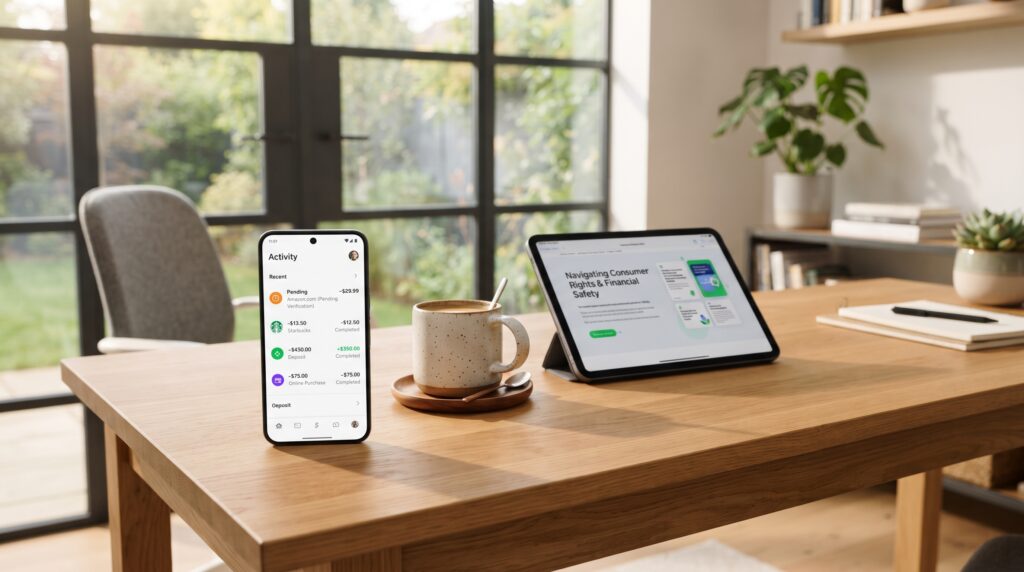
Online scams are another major reason users look for ways to cancel Cash App payment transactions. Scammers often create a sense of urgency, convincing victims to send money before they have time to think. Unfortunately, once a fraudulent payment has been completed, it usually cannot be canceled through the app. Common Cash App scams include fake online stores, lottery or prize scams, romance scams, investment opportunities that promise unrealistic returns, fake customer support representatives, rental listing scams, ticket sales fraud, and scams on social media marketplaces.
If you believe you’ve been scammed, act as quickly as possible by reporting the payment through Cash App, blocking the scammer’s account, and ending all communication with them. You should also contact Cash App Support to report the incident and notify your bank if the payment was funded using your linked debit card or bank account. Most importantly, never send additional money to someone claiming they can recover your lost funds, as this is often another scam designed to steal even more money.
Can Your Bank Reverse a Cash App Payment?
Whether your bank can help reverse a transaction depends largely on how the payment was funded. If you used a linked debit card, eligible credit card, or bank account, your financial institution may be able to investigate the transaction if you believe it was unauthorized. However, it’s important to understand that banks typically distinguish between unauthorized transactions and payments that were voluntarily sent.
If you intentionally sent the money—even if it was to the wrong person or as the result of a mistake—your bank may determine that the transaction was authorized and decline to reverse it. When contacting your bank, always explain the situation honestly and provide any supporting documentation, such as transaction details or screenshots. While your bank cannot guarantee that it can cancel Cash App payment transactions or recover your money, reporting the issue promptly gives you the best chance of a favorable outcome.
Cash App Payment Status Explained
Understanding payment statuses can help determine whether you can cancel Cash App payment transactions.
| Status | Meaning | Can You Cancel? |
|---|---|---|
| Pending | Still processing | Usually Yes |
| Completed | Money delivered | No |
| Failed | Payment unsuccessful | Not necessary |
| Refunded | Money returned | Already resolved |
| Canceled | Payment stopped before processing | No further action needed |
Checking the payment status should always be your first step.
Refund vs. Canceling a Payment
Many people confuse canceling a payment with requesting a refund.
Here’s the difference:
| Cancel Payment | Request Refund |
|---|---|
| Stops the payment before completion | Asks for money back after completion |
| Only available for eligible pending transactions | Available after completed payments |
| Immediate if successful | Depends on the recipient or investigation |
| Doesn’t require recipient approval | Usually requires recipient cooperation |
Knowing which option applies can save time and reduce frustration.
Tips to Avoid Payment Mistakes
The easiest way to avoid needing to cancel Cash App payment transactions is to prevent mistakes before they happen.
Here are some practical tips:
- Double-check the recipient’s $Cashtag.
- Verify the payment amount.
- Read the confirmation screen carefully.
- Avoid sending money while distracted.
- Only pay people you know and trust.
- Be cautious of deals that seem too good to be true.
- Never send money because someone pressures you to act quickly.
- Enable security features such as a PIN or biometric authentication.
- Review your transaction history regularly.
Taking a few extra seconds before tapping Pay can prevent costly errors.
Common Mistakes When Trying to Cancel a Cash App Payment
Many users unintentionally make the situation worse.
Avoid these common mistakes:
- Waiting too long before checking the payment status.
- Assuming every payment can be canceled.
- Ignoring suspicious activity.
- Sending additional money to recover the first payment.
- Falling for fake Cash App support accounts.
- Sharing your verification codes with others.
- Entering incorrect recipient information.
Understanding these mistakes can help protect both your money and your account.
Frequently Asked Questions
Can I cancel a completed Cash App payment?
No. Once a transaction has been completed, you generally cannot cancel Cash App payment directly. Your best option is to request a refund or contact Cash App Support if the payment was unauthorized.
How long does a Cash App payment stay pending?
Pending payments usually resolve within minutes, but some may take longer depending on verification, banking delays, or technical issues.
Can I get my money back after sending it by mistake?
Possibly. You can request a refund from the recipient. If the payment involved fraud or unauthorized activity, report it to Cash App Support immediately.
What should I do if I sent money to the wrong person?
Contact the recipient through Cash App and politely request a refund. If you suspect fraud, report the transaction as soon as possible.
Does Cash App protect against scams?
Cash App offers security features and fraud reporting tools, but users should always verify who they’re sending money to. Because payments are often instant, prevention is the best protection.
Why don’t I see a Cancel button?
The Cancel option only appears for eligible pending transactions. If you don’t see it, the payment has likely already been completed or cannot be canceled.

Best Practices for Using Cash App Safely
Follow these habits to reduce the likelihood of needing to cancel Cash App payment transactions in the future:
- Enable two-factor authentication if available.
- Lock your phone with a passcode or biometric security.
- Update the Cash App regularly.
- Monitor your account activity.
- Never share your PIN or sign-in information.
- Verify requests for money before approving them.
- Keep your contact information up to date.
- Avoid sending payments over public Wi-Fi unless you’re using a secure connection.
Developing these habits can help keep your account secure and reduce the risk of payment errors.
Final Thoughts
Learning how to cancel Cash App payment transactions can save you time, money, and unnecessary stress. While pending payments may be canceled in certain situations, completed payments typically cannot be reversed through the app.
If you’ve already sent money, don’t panic. Start by checking the payment status. If it’s pending, attempt to cancel Cash App payment immediately. If it’s completed, request a refund from the recipient and contact Cash App Support if fraud or unauthorized activity is involved.
The best way to avoid needing to cancel Cash App payment requests is to slow down before confirming any transaction. Double-check the recipient, verify the amount, and make sure you’re sending money to someone you trust.
By understanding how Cash App payments work, knowing when cancellation is possible, and following safe payment practices, you’ll be better prepared to handle mistakes and protect your finances in the future.
Leave a Reply